To turn timesheets into client invoices automatically, you need three things in one system: time tracked against client projects, a bill rate on each project, and an invoicing cycle that closes on a fixed date. With those in place, software can total the approved hours per project at the end of each cycle, multiply by the rate and produce the invoice without anyone copying numbers from a report.
Many teams still bill the old way: export a timesheet, clean it up in a spreadsheet, retype totals into an invoice template, and hope nothing was missed. It works, but it is slow, error-prone and the first thing to slip when the team is busy.
This guide explains why manual invoicing breaks, what to set up before you automate, the exact workflow to follow, and what a good hourly invoice should include.
The manual way, and why it breaks
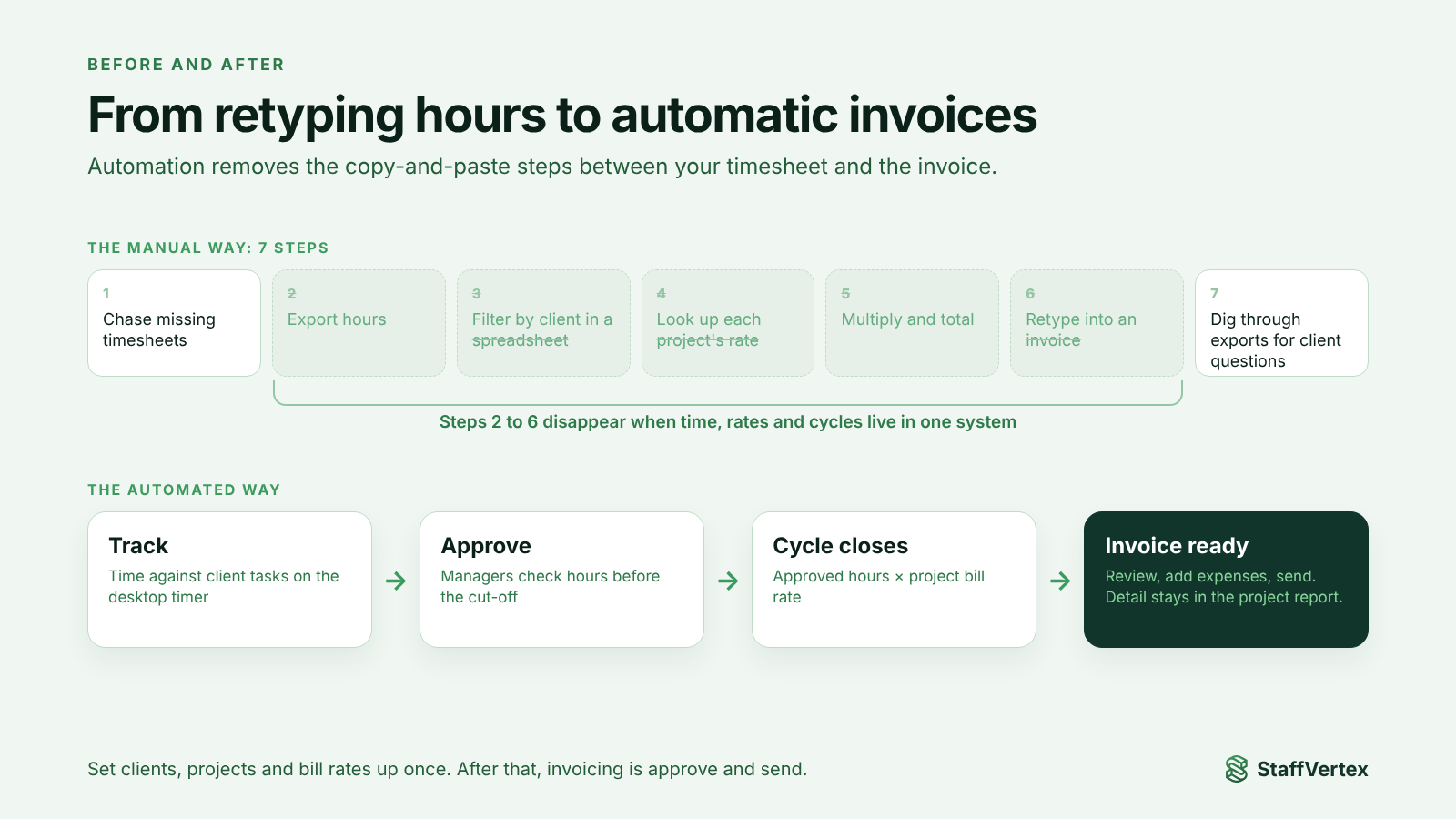
A typical manual invoicing cycle looks like this:
Chase the team for missing timesheets.
Export hours from the time tracker.
Filter by client and project in a spreadsheet.
Look up each project's rate, often in a different document.
Multiply, total and double-check.
Retype the numbers into an invoice template or accounting tool.
Answer the client's questions by digging back through the export.
Each step is a place for errors to creep in:
Copy and paste mistakes move hours to the wrong client or drop a row.
Stale rates get applied after a rate change.
Late entries added after the export never reach the invoice.
Inconsistent periods mean one client is billed to the 30th and another to the 31st.
Delays push invoices days after month end, which pushes payment later too.
Automation removes steps 2 to 6 entirely and makes step 7 a single report.
What you need in place first
Automated invoicing is only as good as the data behind it. Set up these four foundations before you switch it on.
1. A clean client and project structure. Every client has projects, and every project has tasks. People track time against a task, never against a vague "general" bucket. That is what lets the system know which client each hour belongs to.
2. The right project type. Decide whether each project is hourly (billed on time) or fixed fee (billed on a price). Only hourly projects should produce time-based invoices; fixed-fee projects still benefit from tracking, because hours show whether the price was right.
3. A bill rate on every hourly project. Store the rate in the tool rather than in a separate document, and keep it separate from what you pay people. Bill rate is what the client pays; pay rate is what the team member earns.
4. A billing cycle and a cut-off. Choose weekly, bi-weekly, monthly or annual cycles, and make the cut-off automatic. Invoices should cover a consistent period every time.
An optional fifth foundation makes everything more reliable: timesheet approval. A manager reviews hours before the cycle closes, so what reaches the invoice has already been checked.
Step by step: turning timesheets into client invoices automatically
Create clients and projects. Add each client, then its projects, marking each project as hourly or fixed fee.
Set bill rates. Enter the hourly bill rate on every hourly project.
Add tasks and assign people. Break projects into tasks, including one for client communication and one for change requests, and assign team members.
Track time against tasks. Team members start a timer on the task they are working on. A desktop tracker with offline support and idle prompts keeps the data complete.
Handle corrections during the cycle. People add manual time with a note for calls and work away from the computer, and resolve idle time as it happens.
Approve timesheets before the cut-off. Managers review and approve hours, so only checked time is billed.
Let the cycle close. At the end of the period, the system totals approved hours per project, multiplies by the bill rate and generates the invoice.
Review and send. Check the draft, add any fixed charges or expenses your tool supports, and send it to the client.
Keep the detail one click away. When a client asks how the hours were spent, share the project report broken down by person and task.
After the first cycle, steps 1 to 3 only change when you win new work. The monthly effort drops to approving timesheets and sending invoices.
What a good hourly invoice includes
A clear invoice gets paid faster and prompts fewer questions. Legal requirements vary by country, so check your tax authority's rules; the UK government's invoice checklist is a good example. As a minimum, include:
Your business details: name, address, email and phone.
Client details: company name, contact person and billing address.
Invoice number and date, plus the billing period it covers.
Project name and a short description of the work.
Total hours, rate and amount for each project.
Any fixed charges or expenses, listed separately.
Subtotal, taxes where applicable, and total due.
Payment terms and methods, including bank details or a payment link.
Example
Project | Period | Hours | Rate (USD) | Amount (USD) |
|---|---|---|---|---|
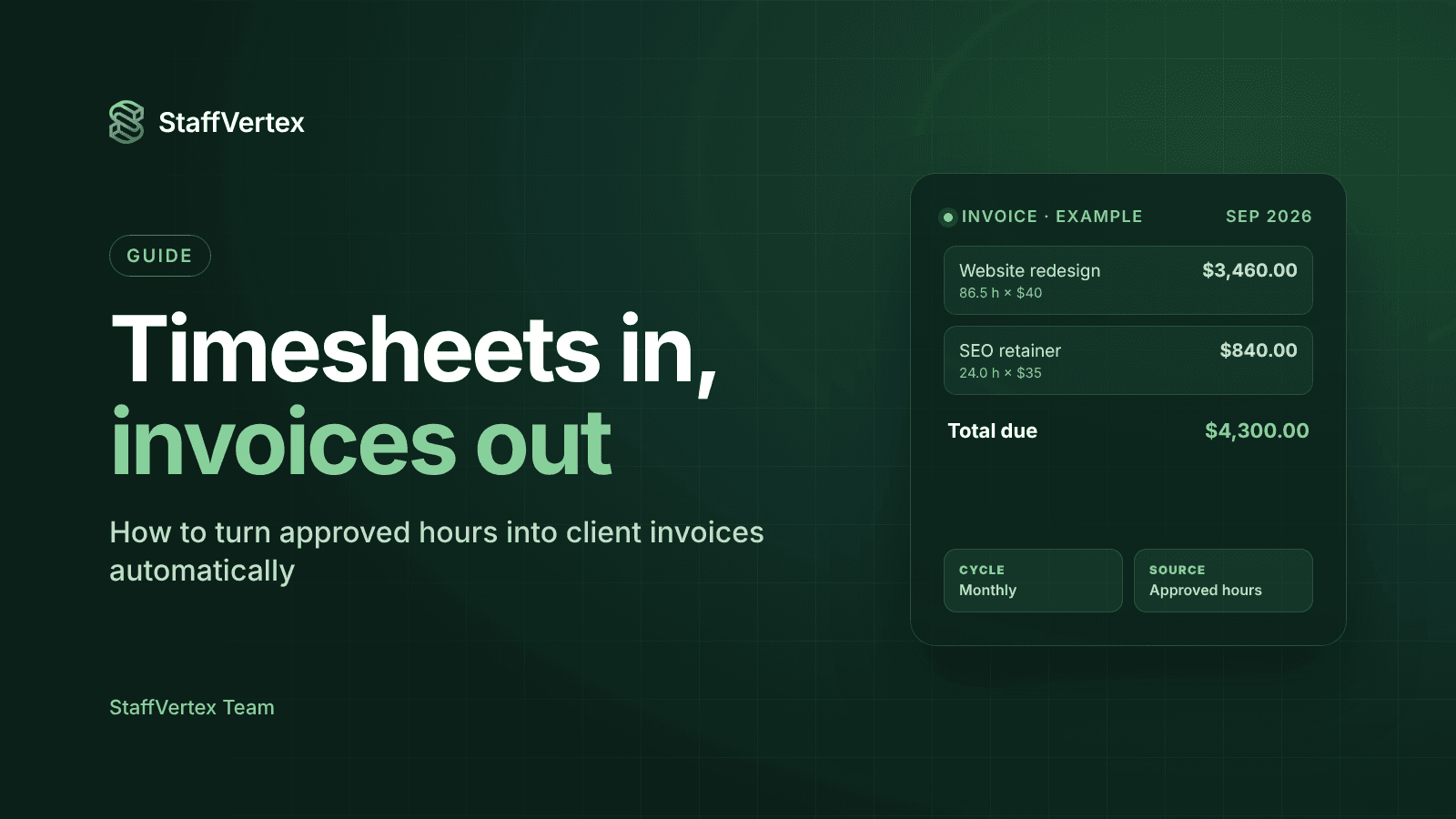
Website redesign | 1 to 30 September 2026 | 86.5 | $40 | $3,460.00 |
SEO retainer | 1 to 30 September 2026 | 24.0 | $35 | $840.00 |
Total | 110.5 | $4,300.00 |
Should the invoice list every team member's hours? Usually not. A single total per project keeps the invoice clean; keep the per-person, per-task breakdown in a project report you can share when a client asks.
How it works in StaffVertex
StaffVertex builds this workflow into its Business plan, so the invoice is a by-product of tracking rather than a separate job.
Set up once
Project nature: mark each project as fixed or hourly.
Rates: hourly projects carry a bill rate (what the client pays) and a pay rate (the default for team members without their own rate).
Pay cycle: choose weekly (on a chosen weekday), bi-weekly, monthly (closing on the last day of the month) or annually in organization settings.
Every cycle
Team members track time against tasks in the Windows or Mac desktop app, which keeps counting offline and asks what to do with idle time.
Managers review timesheets and approvals in the web dashboard.
When the cycle ends, StaffVertex generates a project invoice showing the total hours worked by everyone on the project and the amount due.
The detailed breakdown by person and task stays in the project report, ready to share if the client asks.
The bonus: the same hours generate each member's payslip using their pay rate, so what you bill clients and what you pay your team always come from one record.
Business costs $9 per seat per month on monthly billing, with a 14-day free trial (pricing).
Common mistakes to avoid
Tracking to a "General" project. Hours without a client and project cannot be invoiced automatically.
Mixing bill rates and pay rates. Keep what clients pay and what people earn as separate fields.
Billing unapproved time. Approve first, so disputes are settled before the invoice exists.
Changing the cycle mid-month. Keep billing periods consistent so clients can compare invoices.
Putting every entry on the invoice. Show totals per project and keep detail in a report.
Try it in StaffVertex
Start a free 14-day StaffVertex trial, set a bill rate on one project, and let your next pay cycle produce the invoice for you. No card is required.