
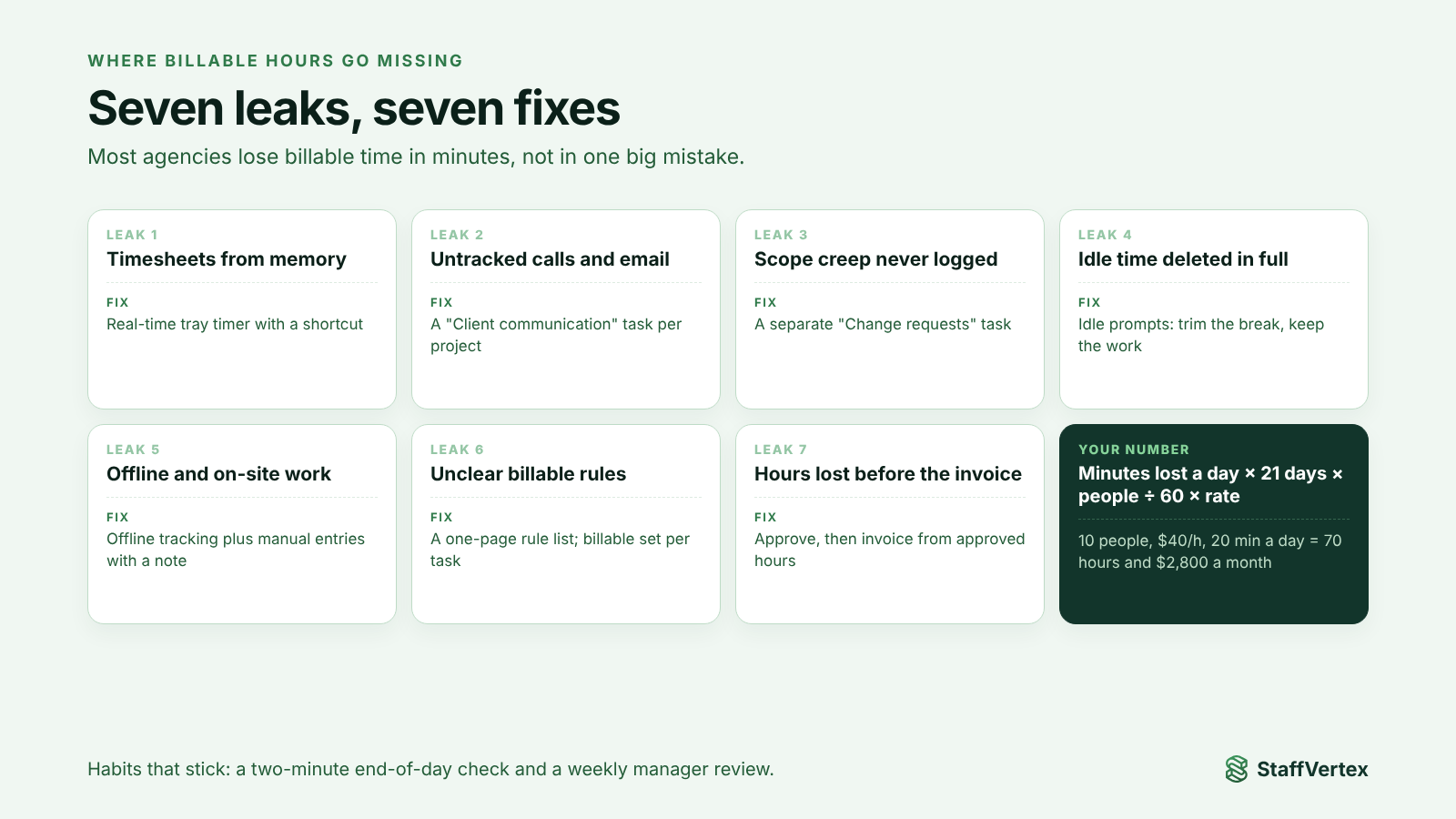
Most agencies do not lose billable hours in one big mistake. They lose them in minutes: a quick client call nobody logged, a timesheet rebuilt from memory on Friday, a revision round that slipped outside scope, a timer left running over lunch and then deleted in full. The fix is a combination of real-time tracking, clear rules for what is billable, and a tool that turns tracked hours straight into invoices.
These small losses add up fast. For an agency that bills by the hour, losing even 20 minutes per person per day can wipe out a meaningful share of profit, as the worked example below shows.
This guide maps the seven most common leaks, puts a number on what they cost, and gives you process fixes and a 30-day plan to recover billable time.
Where billable hours go missing
1. Timesheets filled in from memory. When people reconstruct the week on Friday, short tasks vanish and long ones get rounded down. Memory is reliable for big blocks and poor for the 15-minute jobs that fill an agency day.
2. Untracked communication. Client calls, email threads, Slack questions and quick reviews are real work, but they rarely start a timer.
3. Scope creep that is never logged as extra. A "small tweak" or an extra revision round gets done inside the original task, so the time never shows up as out of scope. The Project Management Institute warns that uncontrolled scope creep leads to cost overruns and delays.
4. Idle time handled badly. If a timer runs over lunch, some people delete the whole entry rather than trim it, and the real work goes with it. Tools that silently discard idle time can cut genuine thinking time too.
5. Work done offline or away from the desk. Time on site, on a train or during an internet outage often goes unrecorded when the tracker needs a connection.
6. Unclear billable rules. If people are not sure whether internal meetings, research or onboarding a client's tools count, they tend to under-log.
7. Hours that never reach the invoice. Even correctly tracked time can be lost when hours are copied by hand from reports into invoices, or when unapproved entries are left out at month end.
What the leak costs: a worked example
Take an agency with 10 billable people, an average rate of $40 an hour and 21 working days a month. Here is what small daily losses add up to.
Unlogged time per person per day | Lost hours per month (team) | Lost revenue per month | Lost revenue per year |
|---|---|---|---|
10 minutes | 35 hours | $1,400 | $16,800 |
20 minutes | 70 hours | $2,800 | $33,600 |
30 minutes | 105 hours | $4,200 | $50,400 |
The calculation is simple: minutes lost per day × 21 days × 10 people ÷ 60 × $40. Swap in your own team size and rate to see your number.
For comparison, a time tracker with invoicing for the same 10 people costs about $90 a month on StaffVertex Business. Recovering even 10 minutes a day pays for it more than 15 times over.
How to plug each leak
Leak | Fix |
|---|---|
Timesheets from memory | Track in real time with a timer that lives in the system tray and a global shortcut, so starting it takes a second. |
Untracked communication | Create a "Client communication" task in every project and make logging calls and email part of the routine. |
Unlogged scope creep | Add a separate "Change requests" task per project; any work outside the brief goes there, so it is visible at invoicing. |
Idle time deleted in full | Use a tool that asks what to do with idle time, so people trim the break and keep the work around it. |
Offline and on-site work | Choose a desktop tracker that keeps counting without internet and syncs later, and allow manual entries with a note. |
Unclear billable rules | Publish a one-page list of what is billable per client and set billable or non-billable at the task level. |
Hours lost before the invoice | Approve timesheets before the cycle closes and generate invoices directly from approved hours instead of copying them. |
Two habits make the biggest difference:
A daily two-minute check. Before logging off, each person glances at today's entries and fills any gap while they still remember.
A weekly manager review. Look for missing days, projects with suspiciously low hours, and change-request tasks that need a conversation with the client.
What your time tracking tool should do
Process fixes only stick if the tool makes the right behavior easy. Check that yours can:
☐ Start a timer in one click from the desktop, against a specific project and task.
☐ Keep tracking offline and sync automatically.
☐ Ask the user what to do with idle time rather than discarding it.
☐ Accept manual time entries for work away from the computer.
☐ Hold bill rates per project, so hours convert to money without a spreadsheet.
☐ Support timesheet approvals before billing.
☐ Generate client invoices directly from tracked hours.
☐ Report hours by project, person and client, so over-servicing is easy to spot.
How StaffVertex covers this
StaffVertex was built for agencies that bill by the hour:
Tray timer on Windows and Mac with a global shortcut, so logging time as you work is effortless.
Offline tracking that syncs the moment the connection returns, on every plan.
Idle prompts that let people keep or discard idle time themselves.
Boards, cards and task dependencies, so every hour lands on a real task, including change requests.
Manual time on Pro and Business for calls and work away from the desk.
Automatic project invoices on Business, based on total hours on the project and its bill rate, generated at the end of each pay cycle.
Reports by project, person and client, with scheduled delivery.
Pro is $4 and Business $9 per seat per month on monthly billing, with a 14-day free trial (pricing).
A 30-day plan to recover billable time
Week 1: Measure the baseline. Pull last month's billed hours per person and per client. Note which projects felt busy but billed little.
Week 2: Set the rules and the structure. Publish your billable-time rules, set up projects with "Client communication" and "Change requests" tasks, and add bill rates to every hourly project.
Week 3: Switch to real-time tracking. Roll out a desktop timer to the team, turn on idle prompts and offline tracking, and introduce the two-minute end-of-day check.
Week 4: Close the loop. Approve timesheets, generate invoices from approved hours, and compare billed hours with your Week 1 baseline. Discuss change-request hours with clients before the next cycle.
The difference usually shows in the first full invoicing cycle, because small, previously invisible tasks now show up on the timesheet.
Start recovering billable hours
Start a free 14-day StaffVertex trial, set bill rates on your projects, and see how much billable time your team has been leaving behind. No card is required.