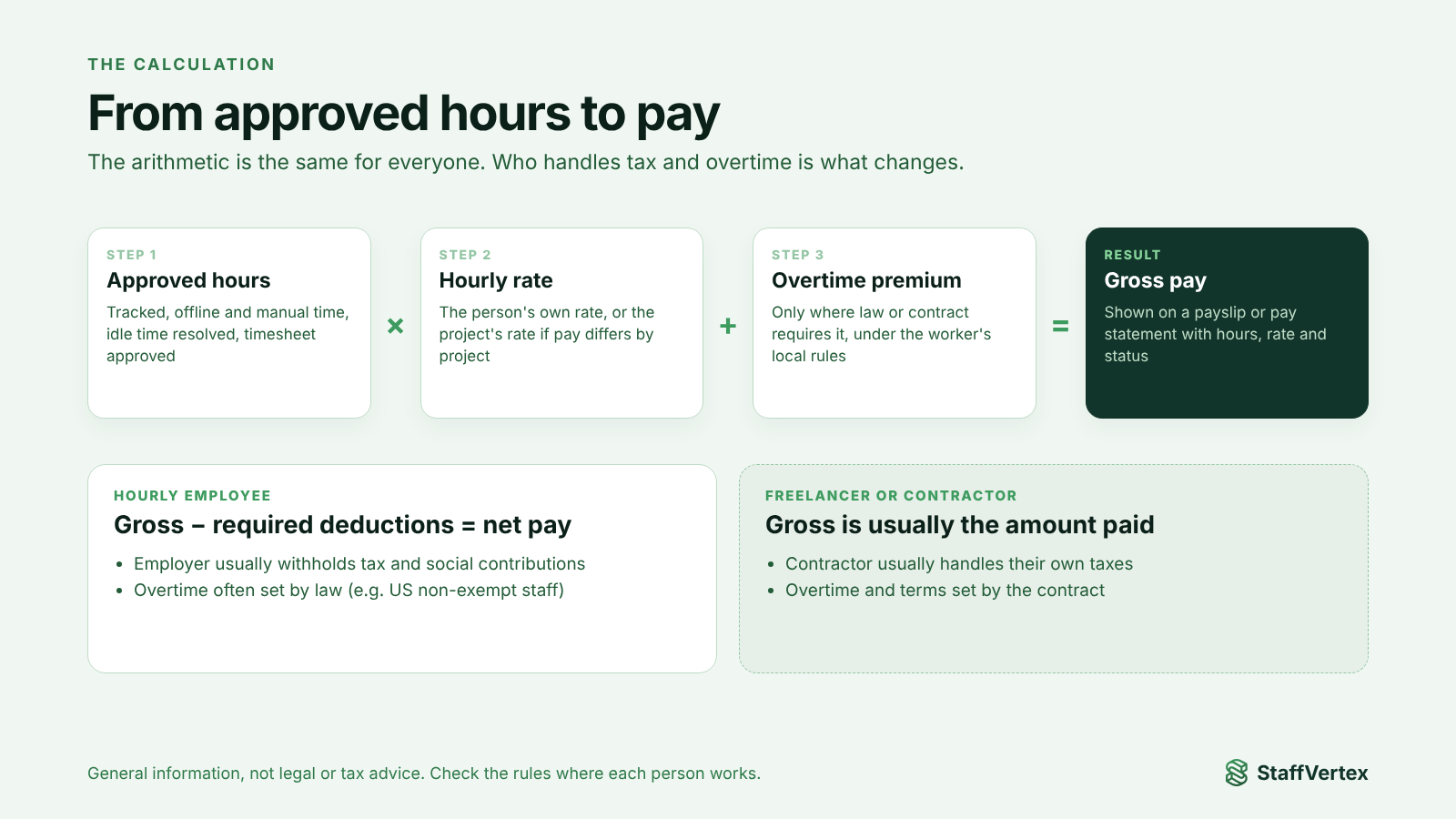
Payroll for hourly remote workers starts with one formula: gross pay = approved hours worked × hourly rate, plus any overtime premium the law or contract requires. For employees, you then subtract the taxes and deductions your country requires to reach net pay. For freelancers and contractors, the gross amount is usually what you pay, and they handle their own taxes.
The arithmetic is simple. What makes remote payroll hard is everything around it: getting complete and accurate hours from people you cannot see, knowing which rules apply to whom, handling overtime and rounding fairly, and paying people in different countries on time.
This guide walks through the calculation step by step with examples, covers overtime, rounding and idle time, explains the basics of paying across borders, and shows how to automate payslips from tracked hours.
This article is general information, not legal or tax advice. Employment and tax rules vary by country and state, so confirm specifics with a qualified accountant or employment lawyer.
Employees vs freelancers: what changes
The hours and rates work the same way for both. What differs is who handles tax, whether overtime rules apply, and what paperwork you need.
Hourly employee | Freelancer or contractor | |
|---|---|---|
Relationship | Employment contract | Service agreement or statement of work |
Pay document | Payslip with gross, deductions and net | Invoice from the contractor, or a pay statement you issue |
Taxes | Employer usually withholds income tax and social contributions | Contractor usually handles their own taxes |
Overtime | Often required by law (for example, in the US for non-exempt employees) | Normally set by contract, not law |
Benefits and leave | Often required by law or contract | Usually not provided |
Records to keep | Hours, rates, pay, deductions for the period your law requires | Hours, agreed rates, invoices and payments |
Get classification right. Treating someone as a contractor when the law sees them as an employee can lead to back taxes and penalties. The tests differ by country, but they usually look at control over how, when and where work is done. If in doubt, take advice.
Step by step: calculating payroll for hourly remote workers
Fix the pay period. Weekly, bi-weekly, monthly or annual. Use the same start and end days every time.
Collect complete hours. Pull tracked time for the period, including offline and manual entries, and resolve any idle time.
Approve the timesheet. A manager confirms the hours before pay is calculated.
Apply the right rate. Use the person's own rate, or the project's rate if they are paid differently per project.
Add overtime where it applies. Calculate premium hours separately (see the next section).
Calculate gross pay. Regular hours × rate, plus overtime pay, plus any agreed bonuses.
Apply deductions (employees only). Subtract required taxes and contributions for your jurisdiction.
Issue a pay record. Share a payslip or pay statement showing hours, rate, amounts and payment status.
Worked examples
Example 1: freelancer on a bi-weekly cycle. A developer bills $25 an hour and logs 72.5 approved hours in two weeks. 72.5 × $25 = $1,812.50 gross. As a contractor, this is typically the amount paid.
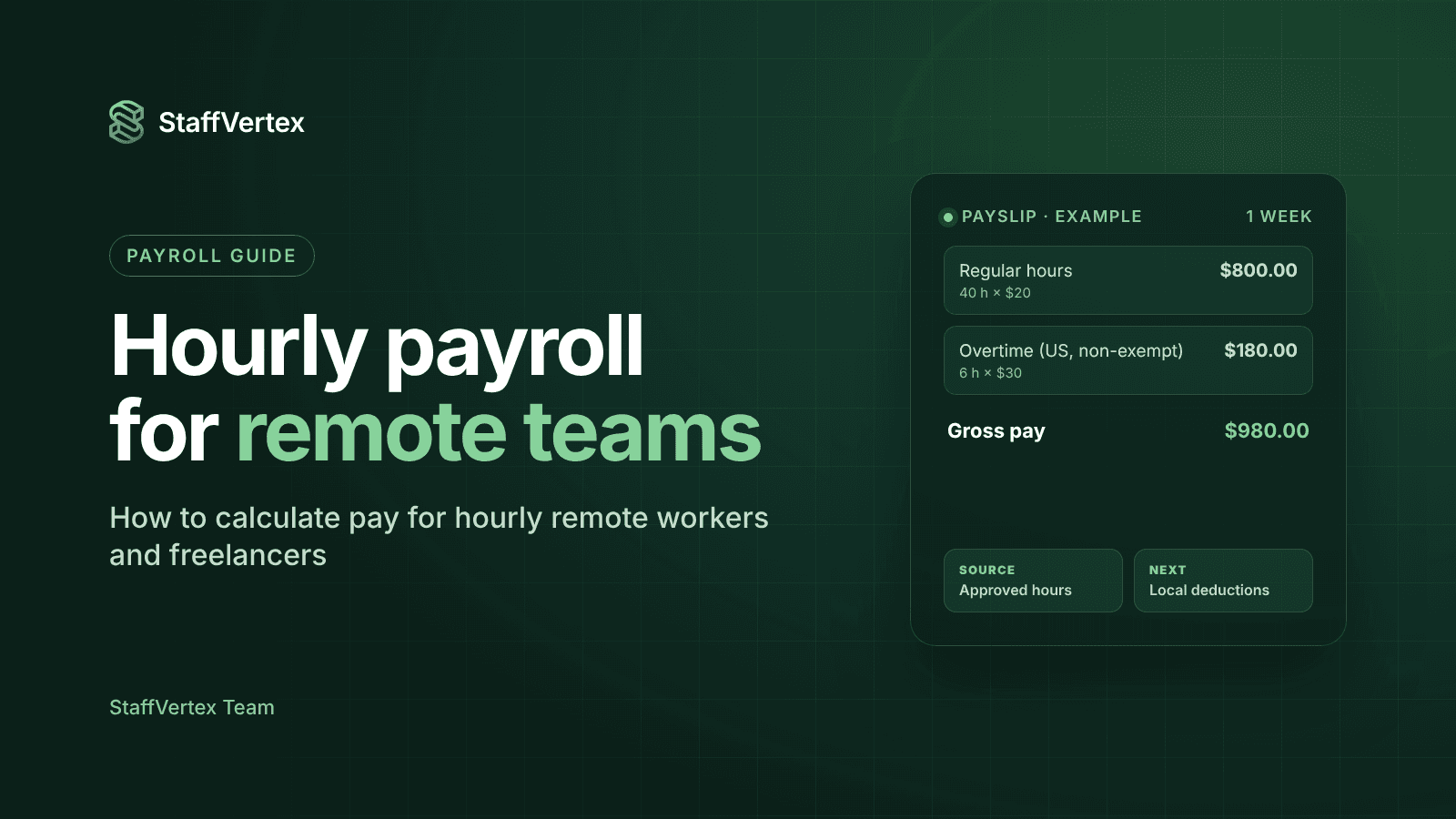
Example 2: US non-exempt employee with overtime. An employee earns $20 an hour and works 46 hours in one workweek. Regular: 40 × $20 = $800. Overtime: 6 × $30 (1.5 × $20) = $180. Gross pay = $980, before deductions.
Example 3: different rates per project. A designer has no personal rate, so each project's pay rate applies. They work 30 hours on Project A at $15 and 10 hours on Project B at $18. (30 × $15) + (10 × $18) = $450 + $180 = $630 gross.
Overtime, rounding and idle time
Overtime
Overtime rules depend on where the employee works and on their contract. In the United States, the Fair Labor Standards Act requires non-exempt employees to be paid at least one and a half times their regular rate for hours over 40 in a workweek (US Department of Labor). Other countries set daily limits, weekly limits or different multipliers. Contractors are normally paid under the terms of their agreement rather than statutory overtime.
For remote teams, calculate overtime per workweek from approved hours, and use each employee's local rules, not the company's headquarters rules.
Rounding
If you round time, round fairly. US regulations allow rounding to the nearest 5 minutes, or to the nearest tenth or quarter of an hour, only when it does not, over time, result in employees being paid less than the time they actually worked (29 CFR 785.48). The simplest fair approach is to pay actual tracked minutes and avoid rounding altogether.
Idle time
Idle time is where remote payroll disputes often start. If software silently deletes inactive minutes, you may underpay for thinking, reading or calls away from the keyboard. If it keeps everything, you may overpay for a forgotten timer. The fairest approach is to ask the employee: when idle time is detected, let them confirm whether it was work or a break, and keep a record of that decision.
Paying remote workers across borders
Hourly remote teams often span several countries. A few decisions keep international pay smooth.
Agree the pay currency in writing. State whether the rate is in your currency or the worker's, and which exchange-rate date applies if you convert. Paying in a stable, agreed currency avoids arguments when rates move.
Choose a reliable payment method. Common options include international bank transfers, specialist transfer services, freelancer payment platforms, and, for employees abroad, employer-of-record providers that run local payroll on your behalf. Compare fees and delivery times from both sides, since the worker may pay receiving fees too.
Collect the right paperwork. Contractors should sign an agreement covering rates, invoicing, payment terms and IP ownership. US companies paying non-US contractors commonly collect IRS Form W-8BEN; other countries have their own documentation. Employees abroad usually need to be hired through a local entity or an employer of record so local tax and labor law is followed.
Keep one record of hours. Whatever the payment route, the amount should come from the same approved hours that you bill clients for. That single record resolves most disputes before they start.
Pay on a predictable schedule. Remote workers budget around payday just like office staff. A fixed cycle and a clear pay statement build trust across time zones.
Choosing a pay cycle and automating payslips
Pay cycle | Works well for | Watch out for |
|---|---|---|
Weekly | Contractors and hourly staff who want fast pay | More admin and more transfer fees |
Bi-weekly | Most hourly teams; a common default | Two months a year have three paydays |
Monthly | Salaried staff and long-term contractors | A long wait for new hourly workers |
Annual | Rare; retainers or special arrangements | Not suitable for regular hourly pay |
Automating payslips with StaffVertex
StaffVertex Business turns tracked hours into payslips without a spreadsheet:
Pay cycles: set weekly (on a chosen weekday), bi-weekly, monthly (closing on the last day of the month) or annual in organization settings, and override it for members paid on a different schedule.
Rate resolution: each member's hourly pay rate comes from their profile; if none is set, the project's pay rate is used, which handles people paid differently per project.
Automatic payslips: when the cycle closes, each member gets a payslip with their hours, the amount, a paid or unpaid status, and their bank details shown for verification.
One source of truth: the same hours also generate client invoices, so billing and pay never drift apart.
Accurate hours going in: desktop tracking on Windows and Mac, offline support, idle prompts and manual entries keep the underlying data complete.
StaffVertex calculates what is owed; you pay through your bank, payment platform or payroll provider, and handle taxes and deductions according to your local rules. Business is $9 per seat per month on monthly billing (pricing).
Try StaffVertex free
Start a free 14-day StaffVertex trial, set rates and a pay cycle, and let your next payslips build themselves from tracked hours. No card is required.