Pakistani software houses prove billable hours to foreign clients by combining three things: hours tracked in real time against specific tasks, evidence at the level the client asked for in the contract, and a regular report that connects hours to delivered work. When those are in place before the first invoice, questions become rare and quick to settle.
Working with clients in the US, UK, Europe, Australia or the Gulf brings great opportunities and one persistent challenge: the client cannot see your team. They are paying for hours worked thousands of kilometers away, often while they sleep, and some have been burned by vendors before.
This guide explains why clients question hours, the five levels of evidence you can offer, the contract clauses to agree up front, a weekly report template, and how to handle a dispute calmly when one comes up.
Why foreign clients question billable hours
Understanding the client's worry makes it easier to answer. Common reasons include:
They cannot see the work happening. Different time zones mean most of your team's hours happen outside the client's working day.
Past bad experiences. Some clients have paid vendors who padded hours or delivered little, and they carry that caution into new relationships.
Freelance marketplaces have set expectations. Clients who hired through hourly marketplaces are used to tracked hours with screenshots and may expect something similar.
Progress is not obvious. Backend work, research and refactoring take real hours but show little visible change.
Invoices arrive without context. A total of 160 hours means little without a breakdown of what they bought.
Internal pressure. The client's own finance team or manager may ask them to justify the spend.
None of these are accusations. They are gaps in information, and each one can be closed with the right evidence and reporting.
The evidence ladder: five levels of proof
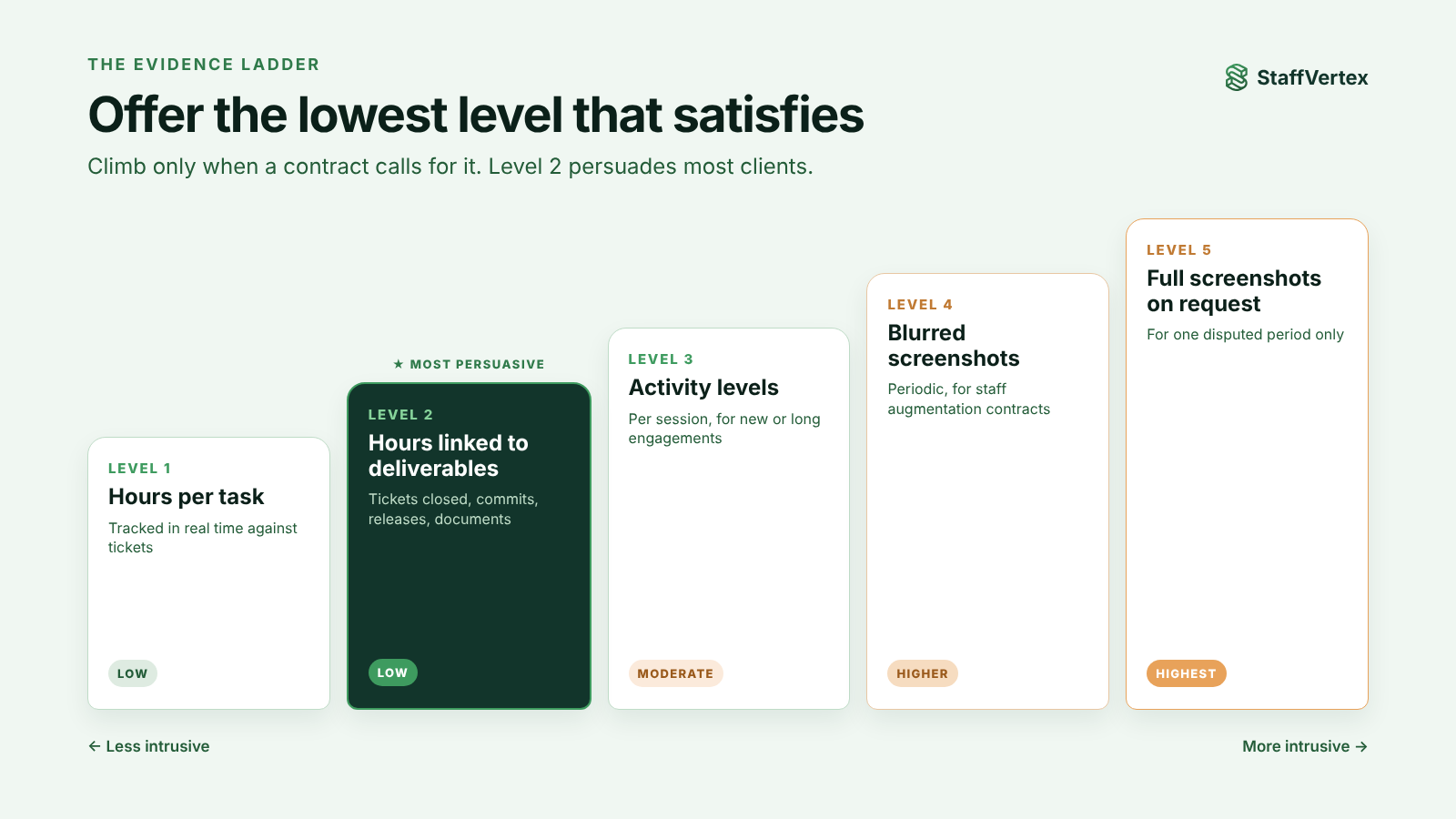
Not every client needs the same level of evidence. Offer the lowest level that satisfies them, and move up only when a contract calls for it.
Level | Evidence | Good for | Intrusiveness |
|---|---|---|---|
1 | Hours per task, tracked in real time | Most project and T&M clients | Low |
2 | Hours linked to deliverables: tickets closed, commits, releases, documents | Clients who care about outcomes | Low |
3 | Activity levels per session | Clients new to your team, or long engagements | Moderate |
4 | Periodic, blurred screenshots | Staff augmentation and dedicated-developer contracts | Higher |
5 | Full screenshots on request for a specific period | Resolving a specific dispute | Highest; use sparingly |
Level 2 is the most persuasive and least intrusive. A client who sees "14.5 hours on checkout redesign, merged in release 2.3" rarely asks for screenshots. Link hours to what they bought.
Keep levels 4 and 5 for contracts that need them, tell your developers in advance, and use blur so client data and personal information are protected.
Put it in the contract
Most billing disputes are really expectation disputes. Agree these points in writing before work starts:
How time is tracked. Name the tool, confirm hours are tracked in real time against tasks, and state how manual entries are handled.
What evidence the client receives. Weekly hour reports, plus activity levels or blurred screenshots if required, and who on the client side can see them.
Billing increments and rounding. Actual minutes, or rounding to the nearest 6 or 15 minutes, applied consistently.
What is billable. Meetings, code review, deployment, bug fixing under warranty, and research or spikes.
Change requests. How out-of-scope work is requested, estimated and approved before it is billed.
Approval window. How many days the client has to query a timesheet before it is treated as approved.
Time zone and reporting period. Which time zone reports use and when the billing week or month closes.
Outages and force majeure. How power or internet outages are handled, such as offline tracking that syncs later.
Data protection. How screenshots and activity data are stored, who can see them and how long they are kept. For clients in the EU, the GDPR applies to any personal data these contain.
The weekly client report
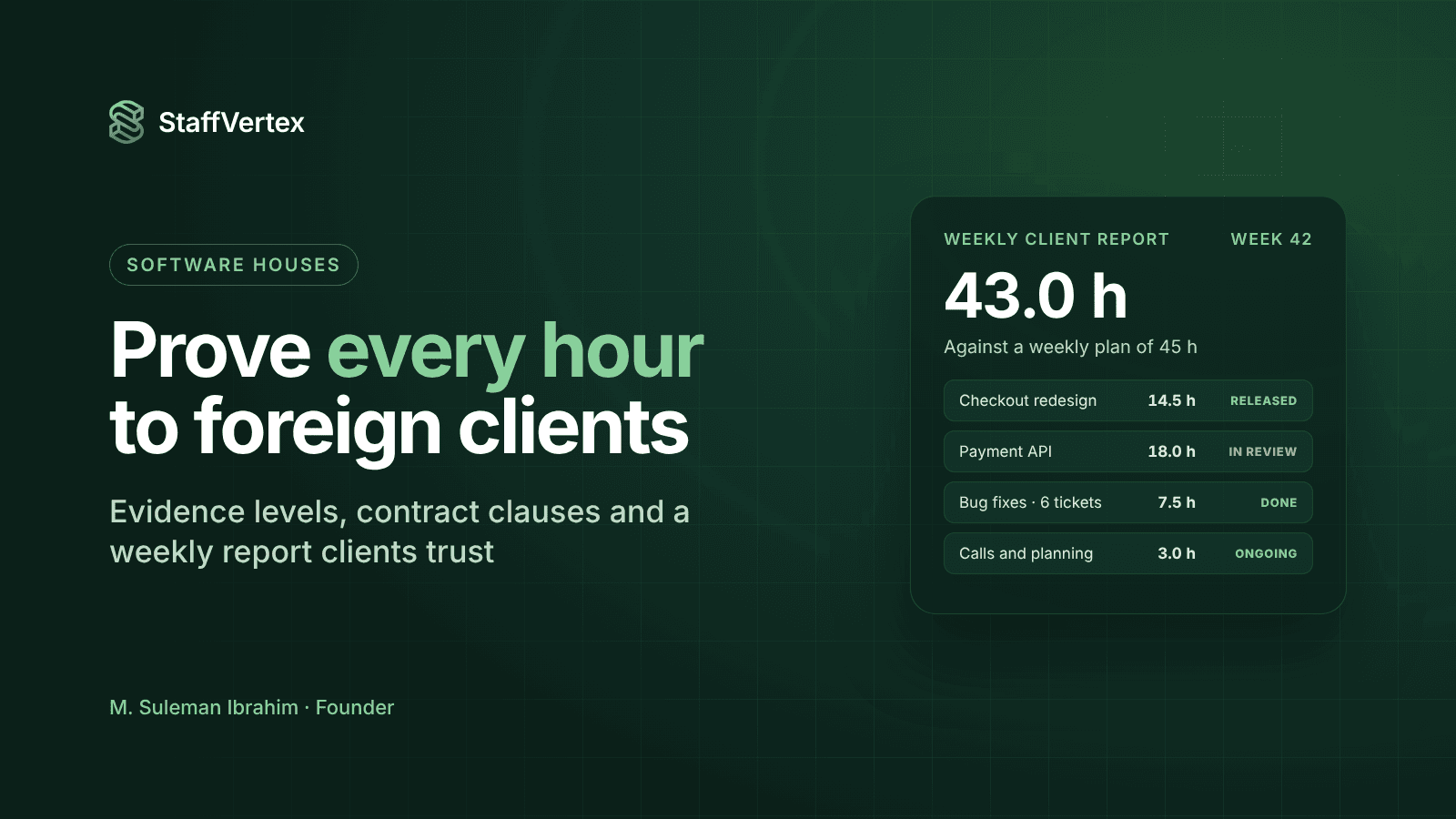
Send a short report every week, on the same day, before the client asks. Here is a template you can adapt.
Subject: [Project] weekly update, week ending [date] ([time zone])
Summary: [One or two sentences on what shipped and what is next.]
Hours this week: [Total] hours against a weekly plan of [X] hours. Month to date: [Y] hours.
Where the time went:
Task or ticket | Owner | Hours | Status |
|---|---|---|---|
[Checkout redesign, TICKET-142] | [Ali] | 14.5 | Released in 2.3 |
[Payment API integration] | [Sara] | 18.0 | In review |
[Bug fixes: 6 tickets] | [Team] | 7.5 | Done |
[Client calls and planning] | [PM] | 3.0 | Ongoing |
Change requests: [Any out-of-scope work and its status.]
Risks or blockers: [Anything waiting on the client, or outages that affected the week.]
Next week: [Top priorities.]
A report like this does more for trust than any amount of monitoring, because it shows the client what their money bought. Schedule it from your time tracker so the hours table is always accurate.
Handling a dispute calmly
Thank the client and ask what specifically concerns them. A date range, a task or a person narrows it down fast.
Pull the record, not a summary. Show the time entries for that period with tasks, start and end times, and any notes.
Connect hours to output. Link the entries to tickets, commits or documents produced in that time.
Explain anything unusual. Offline periods that synced later, manual entries with their reasons, or time spent on a blocker the client caused.
Offer higher-level evidence only if needed. Activity levels, then screenshots for that specific period, if the contract allows.
Correct genuine mistakes quickly. If an entry was wrong, credit it on the next invoice and say so plainly. Owning an error builds more trust than defending it.
Fix the root cause. Update the report, the contract or the tracking setup so the same question does not come up again.
How StaffVertex helps
StaffVertex gives software houses each rung of the evidence ladder in one tool:
Real-time hours per task from a Windows and Mac tray app, against boards and cards that mirror your tickets.
Offline tracking that holds up to scrutiny, with a local buffer, a tamper-resistant monotonic clock and timestamps corrected against server time, so load-shedding does not leave gaps or doubts.
Activity monitoring on Pro and Business, and optional, blurrable screenshots, off by default, for contracts that require them.
Idle prompts and manual entries that keep a record of how unusual time was handled.
Reports by project, person and client that you can export or schedule, forming the hours table of your weekly update.
Automatic invoices from project bill rates on Business, so the invoice matches the report exactly.
Pro is $4 and Business $9 per seat per month on monthly billing (pricing).
Build client trust with StaffVertex
Start a free 14-day StaffVertex trial, set up one client project, and send your first data-backed weekly report this Friday. No card is required.