This free invoice template is built for hourly work: freelancers, consultants, agencies and software houses that bill clients by the hour. Copy it into Google Docs, Word, Excel or Google Sheets, fill in your details, and send a clear, professional invoice that answers the client's questions before they ask them.
What's included:
A checklist of everything an hourly invoice must contain.
A copy-ready template and a fully filled example.
Spreadsheet formulas for line totals, discounts and tax.
Payment terms and tips for billing clients in other countries.
The most common invoicing mistakes and how to avoid them.
What every hourly invoice must include
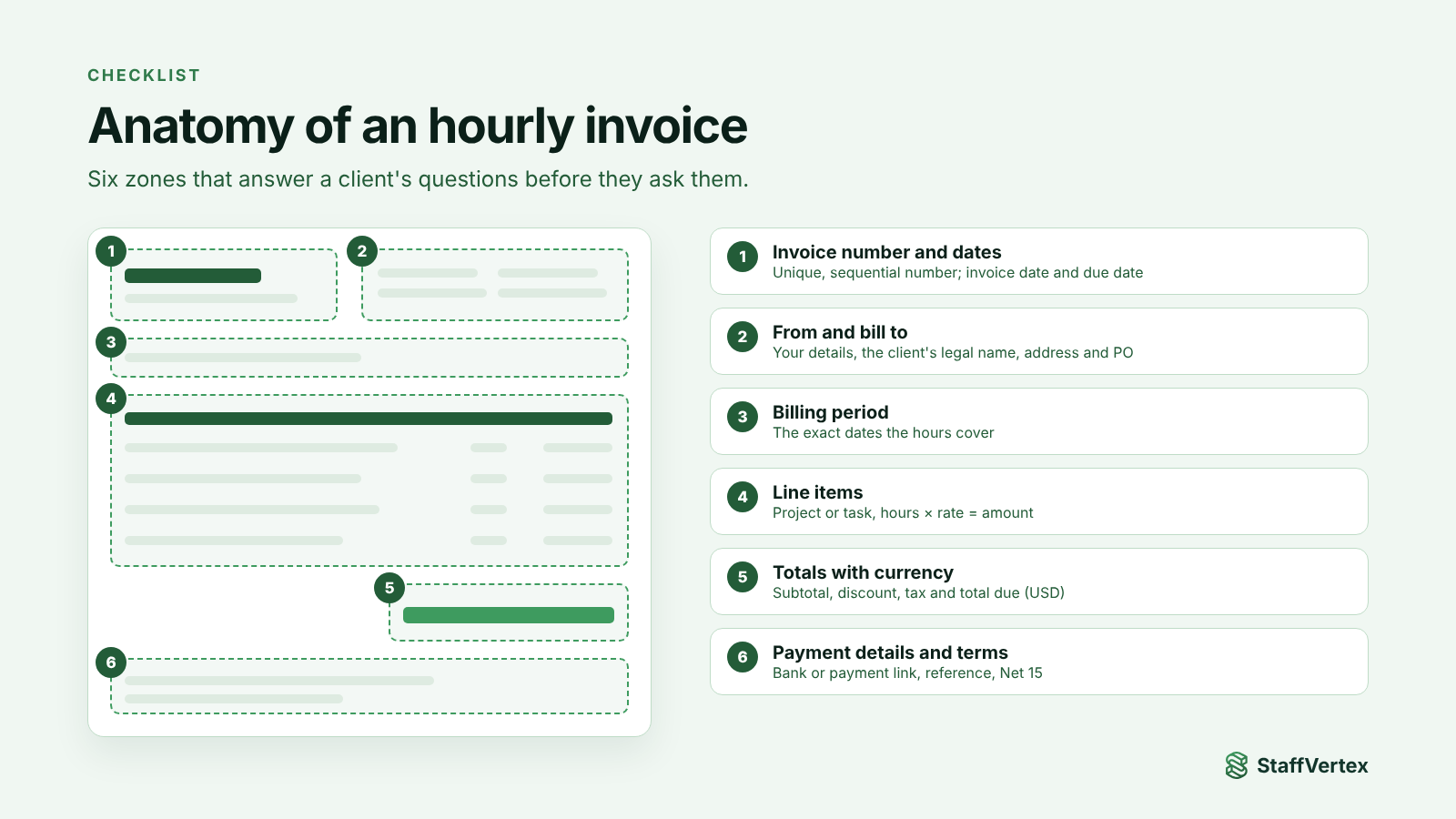
☐ The word "Invoice" and a unique, sequential invoice number.
☐ Invoice date and due date.
☐ Your details: business or trading name, address, email, phone, and tax or registration number if you have one.
☐ Client details: company name, contact person, billing address and any purchase order (PO) number they gave you.
☐ Billing period the hours cover, for example 1 to 30 September 2026.
☐ Line items: project or task, hours, hourly rate and line total.
☐ Subtotal, discounts, taxes and total due, with the currency stated clearly.
☐ Payment instructions: bank details, payment link or platform, and any reference the client should use.
☐ Payment terms, such as Net 15, and any late-payment terms you have agreed.
☐ A short note pointing to the detailed timesheet or report behind the hours.
Tax rules differ by country. If you are registered for sales tax, VAT or GST, check what your invoices legally need to show. In the UK, for example, GOV.UK lists what an invoice must include.
The free invoice template
Copy this into your document or spreadsheet and replace the bracketed fields.
INVOICE
Invoice number: [INV-2026-0001]
Invoice date: [DD Month YYYY]
Due date: [DD Month YYYY]
Billing period: [Start date] to [End date]
PO number: [If provided]
FROM BILL TO
[Your business name] [Client company]
[Address] [Contact name]
[Email] | [Phone] [Billing address]
[Tax/registration no.] [Client email]
DESCRIPTION HOURS RATE AMOUNT
[Project / task] [0.00] [0.00] [0.00]
[Project / task] [0.00] [0.00] [0.00]
[Project / task] [0.00] [0.00] [0.00]
Subtotal [0.00]
Discount [0.00]
Tax ([rate]%) [0.00]
TOTAL DUE ([CUR]) [0.00]
PAYMENT DETAILS
Bank name: [ ] Account name: [ ] IBAN/Account no.: [ ]
SWIFT/BIC: [ ] Reference: [Invoice number]
Or pay online: [payment link]
TERMS
Payment due within [15] days. Detailed timesheet attached.
Thank you for your business.
Filled example
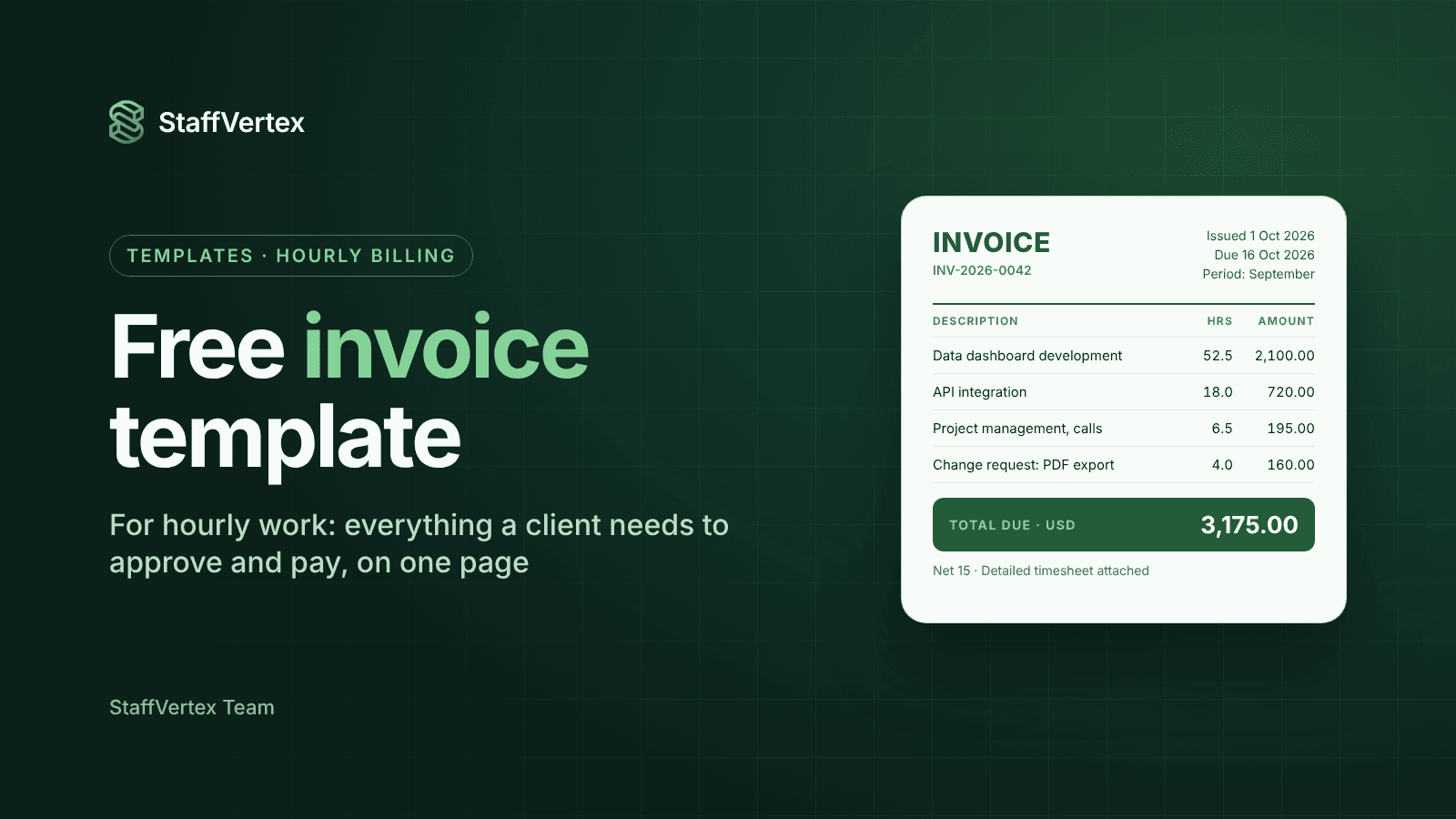
INVOICE INV-2026-0042 · Invoice date 1 October 2026 · Due 16 October 2026 · Billing period 1 to 30 September 2026
From: Northwind Digital, 12 Example Road, Islamabad · billing@northwind.example Bill to: Harbor Analytics Ltd., Attn: Jane Doe, 45 Sample Street, London · PO 7781
Description | Hours | Rate (USD) | Amount (USD) |
|---|---|---|---|
Data dashboard development | 52.5 | 40.00 | 2,100.00 |
API integration | 18.0 | 40.00 | 720.00 |
Project management and client calls | 6.5 | 30.00 | 195.00 |
Change request: PDF export (approved 12 September) | 4.0 | 40.00 | 160.00 |
Total | 81.0 | 3,175.00 |
Subtotal $3,175.00 · Discount $0.00 · Tax $0.00 · Total due: USD 3,175.00
Payment: bank transfer to the account shown, reference INV-2026-0042. Terms: Net 15. The detailed timesheet by person and task is attached.
Spreadsheet formulas
If you build the invoice in Excel or Google Sheets, put line items in rows 12 to 20 with Description in A, Hours in B, Rate in C and Amount in D. Then use:
Line amount (D12): =ROUND(B12*C12, 2)
Total hours (B21): =SUM(B12:B20)
Subtotal (D21): =SUM(D12:D20)
Discount (D22): =ROUND(D21*$F$22, 2) (discount % in F22)
Tax (D23): =ROUND((D21-D22)*$F$23, 2) (tax % in F23)
Total due (D24): =D21-D22+D23
Due date: =InvoiceDate+15 (or your payment term)
Tips
Keep hours to two decimal places and use the same rounding rule every time.
Format amounts as currency and show the currency code (USD, GBP, EUR) next to the total.
Save each sent invoice as a PDF with the invoice number in the file name, so there is a fixed record.
Payment terms and international clients
Common payment terms
Term | Meaning | Good for |
|---|---|---|
Due on receipt | Pay immediately | Small or one-off jobs |
Net 7 | Due within 7 days | Freelancers and new clients |
Net 15 | Due within 15 days | Most hourly work |
Net 30 | Due within 30 days | Larger companies with set payment runs |
Deposit + balance | Part up front, rest on completion | Fixed-price projects |
Whatever you choose, write it into the contract first and repeat it on every invoice.
Tips for clients in other countries
Invoice in the agreed currency. State the currency code on every amount and do not convert on the invoice unless the contract says so.
Give complete bank details. International transfers usually need your IBAN or account number, SWIFT/BIC and bank address.
Offer a payment platform too. Many clients prefer paying through a transfer service or payment link; say who pays the fees.
Use the client's legal company name and any PO number, so their finance team can match the invoice.
Write dates in full. Use 1 October 2026 rather than 01/10/2026, which reads differently in the US and UK.
Attach the timesheet. A breakdown by task and person answers most questions before they are asked.
Common invoicing mistakes
Duplicate or missing invoice numbers, which confuse both your records and the client's.
Hours copied wrong from a timesheet into the invoice.
Old rates applied after a rate change.
No billing period, so the client cannot tell which hours are covered.
Vague descriptions such as "development work, 80 hours".
Scope creep hidden in the total instead of listed as approved change requests.
Late invoices. The longer after the work you invoice, the longer you wait to be paid.
Automating hourly invoices with StaffVertex
Most of these mistakes come from building invoices by hand. StaffVertex generates them from tracked time instead:
Your team tracks hours against client projects and tasks in the Windows or Mac desktop app, including offline.
Each hourly project carries a bill rate.
At the end of each cycle (weekly, bi-weekly, monthly or annual), StaffVertex produces a project invoice with total hours and amount, while the detailed breakdown by person and task stays in the project report you attach.
The same hours generate your team's payslips, so what you bill and what you pay always match.
Invoicing is included in the Business plan at $9 per seat per month on monthly billing, with a 14-day free trial (pricing).
Stop building invoices by hand
Start a free 14-day StaffVertex trial, add a bill rate to one project, and let your next cycle produce the invoice. No card is required.