To track agent hours accurately in a BPO, separate the questions each system answers. Your phone or chat platform knows handle time. Your scheduling tool knows when agents were meant to work. Your time tracker should record, reliably and fairly, when each agent actually worked, on which client or campaign, including breaks, idle periods and outages. Reconcile the three and you get defensible billing, fair pay and useful metrics.
BPOs and call centers live on thin margins and hourly contracts. Clients are billed per agent hour or per seat, agents are paid per hour or shift, and a few minutes lost per agent per day becomes a large number across hundreds of seats.
This guide explains the layers of agent time, where records go wrong, the formulas behind the metrics clients ask about, a practical process for accuracy, and where a desktop tracker like StaffVertex fits alongside your contact center tools.
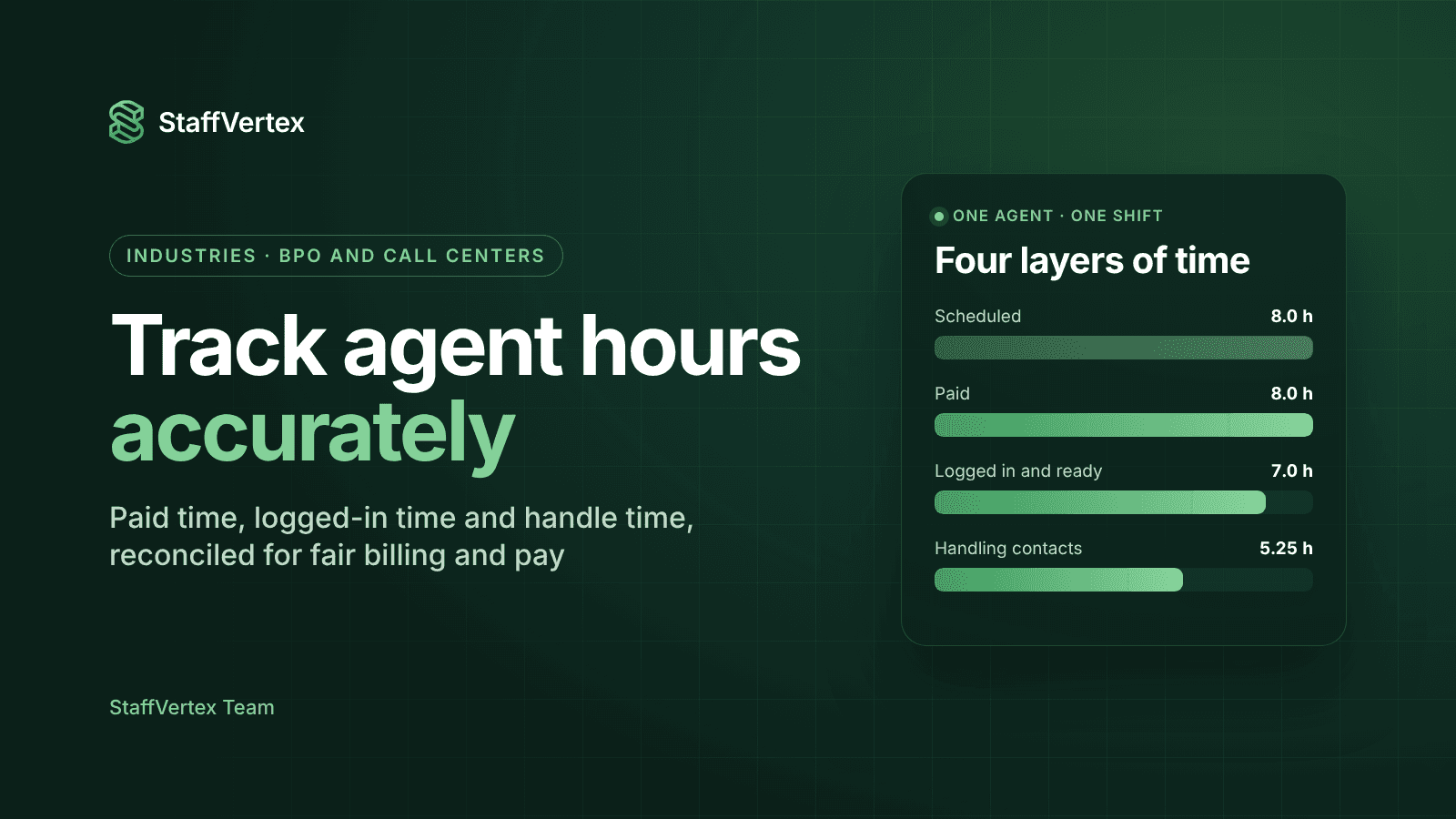
The four layers of agent time
Layer | What it is | Usually recorded by |
|---|---|---|
Scheduled time | The shift the agent was rostered for | Workforce management (WFM) or scheduling tool |
Paid time | Time the agent was on the clock and should be paid for, including paid breaks | Time tracker or attendance system |
Available or logged-in time | Time the agent was logged into the phone, chat or ticket system and ready for work | Contact center platform (ACD, CCaaS, helpdesk) |
Handle time | Time actively on a contact: talk, hold, chat and after-contact work | Contact center platform |
Each layer answers a different question. Scheduled time tells you if you planned correctly. Paid time drives payroll and often client billing. Logged-in and handle time measure productivity. Problems begin when a BPO tries to answer all four questions from one system that was only designed for one of them.
Where BPO time records go wrong
Buddy punching and proxy logins. One agent clocks in or logs in for another who is late or absent.
Clock-in without work. Agents are on the clock but not logged into the queue, or logged in but away from the desk.
Unrecorded or overrun breaks. Short breaks, bathroom breaks and extended lunches are not captured consistently.
Back-office work that nothing records. Email, data entry, QA, training and coaching happen outside the phone system, so they vanish from productivity reports.
Outages. Power cuts and connectivity drops, common in many offshore hubs, create gaps that are later filled from memory.
Manual corrections without an audit trail. Supervisors edit timesheets after the fact, and nobody can later explain why.
Multi-client agents. Agents who switch between campaigns or clients during a shift need their hours split correctly for billing.
Each of these either overbills a client, underpays an agent, or makes metrics unreliable, and each is fixable with the right process and tools.
The metrics clients ask about
Definitions vary between operations, so agree them with each client in writing. These are the common forms.
Metric | Common formula | What it shows |
|---|---|---|
Schedule adherence | Time working as scheduled ÷ scheduled time | Whether agents follow the roster |
Occupancy | Handle time ÷ available (logged-in, ready) time | How busy agents are while available |
Utilization | Logged-in productive time ÷ paid time | How much paid time is spent available for work |
Shrinkage | Paid time not available for contacts ÷ paid time | Time lost to breaks, training, meetings and absence |
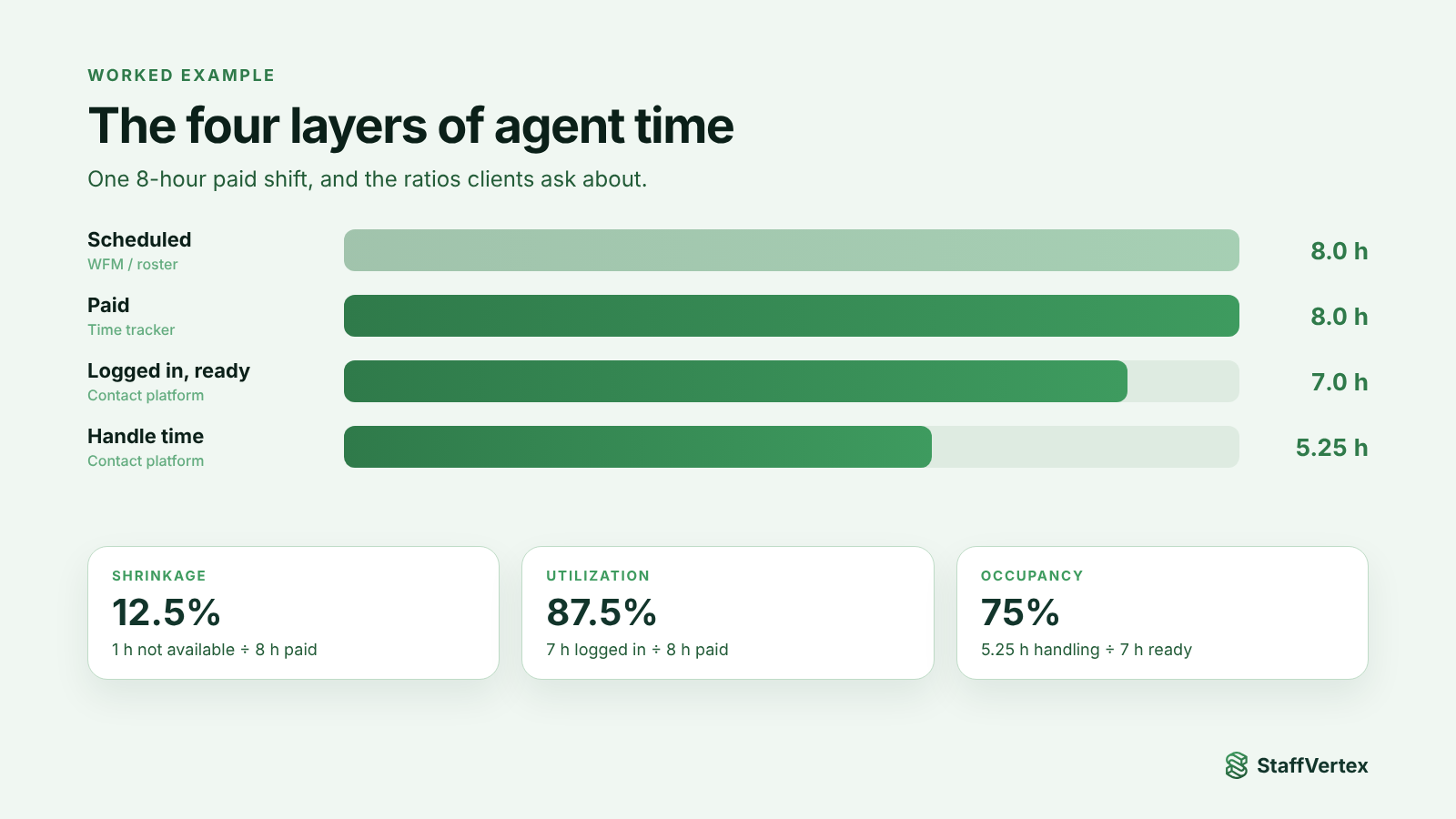
Worked example. An agent is paid for an 8-hour shift. They spend 1 hour on breaks and a training session and 7 hours logged in and ready, of which 5.25 hours are spent handling contacts.
Shrinkage = 1 ÷ 8 = 12.5%
Utilization = 7 ÷ 8 = 87.5%
Occupancy = 5.25 ÷ 7 = 75%
Every one of these depends on an accurate paid-time figure. If paid time is wrong, every ratio built on it is wrong too.
How to track agent hours accurately
One login per person, no sharing. Every agent tracks time under their own account on their own workstation session. Make sharing credentials a disciplinary matter.
Track against client and campaign. Set up each client as a project and each campaign or queue as a task, so an agent who moves between campaigns splits their hours correctly.
Capture non-voice work. Create tasks for email, chat, back-office processing, QA, training and coaching so that time is visible and billable where the contract allows.
Define breaks and idle rules. Publish break entitlements, use idle prompts so agents confirm whether inactive time was work or a break, and review patterns weekly.
Plan for outages. Use a desktop tracker that keeps counting offline and syncs later, so power cuts do not create gaps filled from memory.
Require notes on manual corrections. Supervisors and agents add a reason to every manual entry, creating an audit trail clients can trust.
Reconcile weekly. Compare paid time from the tracker with logged-in time from the contact platform and scheduled time from WFM. Investigate large gaps, not small ones.
Approve before billing and payroll. Lock the period after approval so invoices and payslips use the same checked hours.
Keep these records for as long as local law requires. In the US, for example, the Department of Labor's FLSA recordkeeping rules require employers to keep accurate records of hours worked each workday and workweek for non-exempt staff.
Which tool does what
Need | Best handled by |
|---|---|
Call routing, handle time, queue stats | Your contact center platform |
Forecasting, rostering, adherence | A workforce management tool |
Paid hours per agent, per client, including non-voice work | A desktop time tracker |
Proof of work for back-office and non-voice processes | A time tracker with activity monitoring and optional screenshots |
Client invoices per agent hour | A time tracker with bill rates and invoicing |
Agent pay records | A time tracker with pay rates and payslips, feeding payroll |
Where StaffVertex fits
StaffVertex is the paid-hours and billing layer for BPOs, especially for non-voice, back-office and blended teams:
Desktop tracking per agent on Windows and macOS, against client projects and campaign tasks.
Offline tracking through power cuts and connectivity drops, with tamper-resistant timing and automatic sync.
Idle prompts so agents confirm whether inactive time was work or a break.
Activity monitoring and optional, blurrable screenshots for proof of work on back-office processes.
Manual entries for off-system work such as training, with the reason recorded.
Client invoices from project bill rates and agent payslips from pay rates, on weekly, bi-weekly, monthly or annual cycles, all from the same approved hours.
Roles and permissions so team leads and QA see only what they should.
What StaffVertex is not: it is not a telephony or workforce management system, and it does not measure call handle time or build rosters. Use it alongside those tools to make paid hours, billing and payroll accurate.
Pro is $4 and Business $9 per seat per month on monthly billing (pricing). For a 100-seat operation, Pro is $400 a month.
Try StaffVertex in your operation
Start a free 14-day StaffVertex trial with one team and one client, and compare its paid hours with your contact center reports after a week. No card is required.