If you use Hubstaff today and your bill keeps climbing, StaffVertex is one of the strongest Hubstaff alternatives for desktop-based remote teams. It gives you unlimited projects and tasks, screenshots and activity monitoring from $4 per seat, and invoicing plus member payslips on its $9 Business plan, with no add-ons to buy.
Hubstaff is a capable, mature product, and this guide is not about claiming otherwise. It is written for teams that already know Hubstaff well and have started asking a sharper question: are we paying for features we use, or for tiers and add-ons we were pushed into?
Below we explain the plan limits that most often push teams to compare options, compare it directly with StaffVertex, cover five other alternatives, and walk through a low-risk way to switch. Prices were checked in October 2026.
Why teams look for a Hubstaff alternative
When teams look elsewhere, it is rarely because Hubstaff tracks time badly. More often, the features they need sit one or two tiers higher than the plan they bought, or behind add-ons. Hubstaff's own plan documentation shows where the friction comes from.
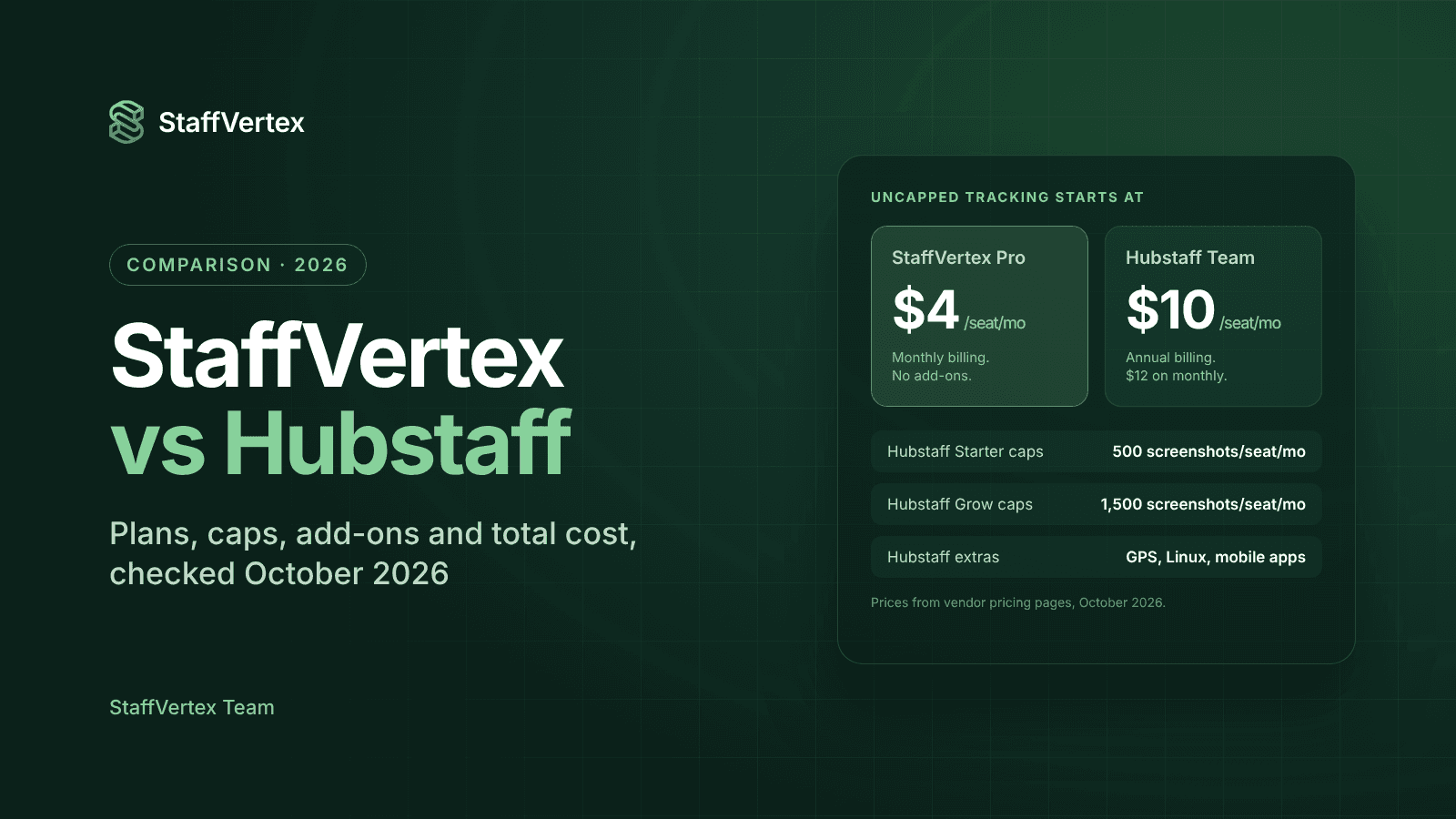
1. Usage caps on the lower tiers. Starter caps each seat at 500 screenshots and 500 app and URL records per month, and Grow caps them at 1,500. Only Team ($10 per seat per month, annual) and above remove the limits. A full-time employee on a 10-minute screenshot interval produces around 1,000 screenshots a month, so a Starter team can hit the ceiling within weeks.
2. Core features locked to Team and above. Payments and payroll, timesheet approvals, scheduling and attendance, time off, overtime rules and client budgets are all unavailable on Starter and Grow. Grow also supports just one integration.
3. Add-ons that stack up. Insights is $2.50 per seat per month on Starter and Grow, Tasks is $2.50 on Starter, extra screenshots are $2.50, extended data retention is $1.67, the Silent app is $2.50, and Locations is $3.33 on Team. A 10-person Team account that adds Insights after its trial and Locations pays close to $16 per seat.
4. Seat rules that punish change. Paid plans are reported to need at least two seats. On monthly billing, new users are charged the full month with no proration, and removed users are not refunded or credited.
5. More monitoring than some teams want. Hubstaff's strength is visibility, but some managers only need accurate hours, tasks and invoices, and find the monitoring-first design heavier than necessary.
If two or more of these sound familiar, it is worth pricing an alternative.
What to look for in a Hubstaff replacement
A good replacement should keep what already works in Hubstaff and remove what frustrates you. Use this checklist when you compare tools:
No per-seat usage caps on screenshots, activity or tasks at the plan you can afford.
Offline tracking so remote staff with unstable internet never lose hours.
Idle detection that asks the user before keeping or discarding time, rather than silently changing timesheets.
Projects and tasks built in, not sold as a separate add-on.
Invoicing and payroll from the same hours, so client bills and staff pay always match.
Optional, configurable monitoring, so you choose how much visibility your culture needs.
Predictable pricing with the features you need included in the base plan.
If you depend on GPS job sites or Linux desktops, add those to the list too, because not every alternative supports them.
StaffVertex: a Hubstaff alternative without usage caps
StaffVertex is a time tracking and project management platform built for remote and hybrid teams that bill clients and pay people by the hour. It covers what most teams actually use in Hubstaff (a desktop timer, activity, screenshots, timesheets, reports and invoicing) and puts it in plans without the usage caps and add-ons.
What you keep from Hubstaff
A lightweight desktop timer for Windows 10/11 and macOS 12+ that lives in the system tray, with a global shortcut.
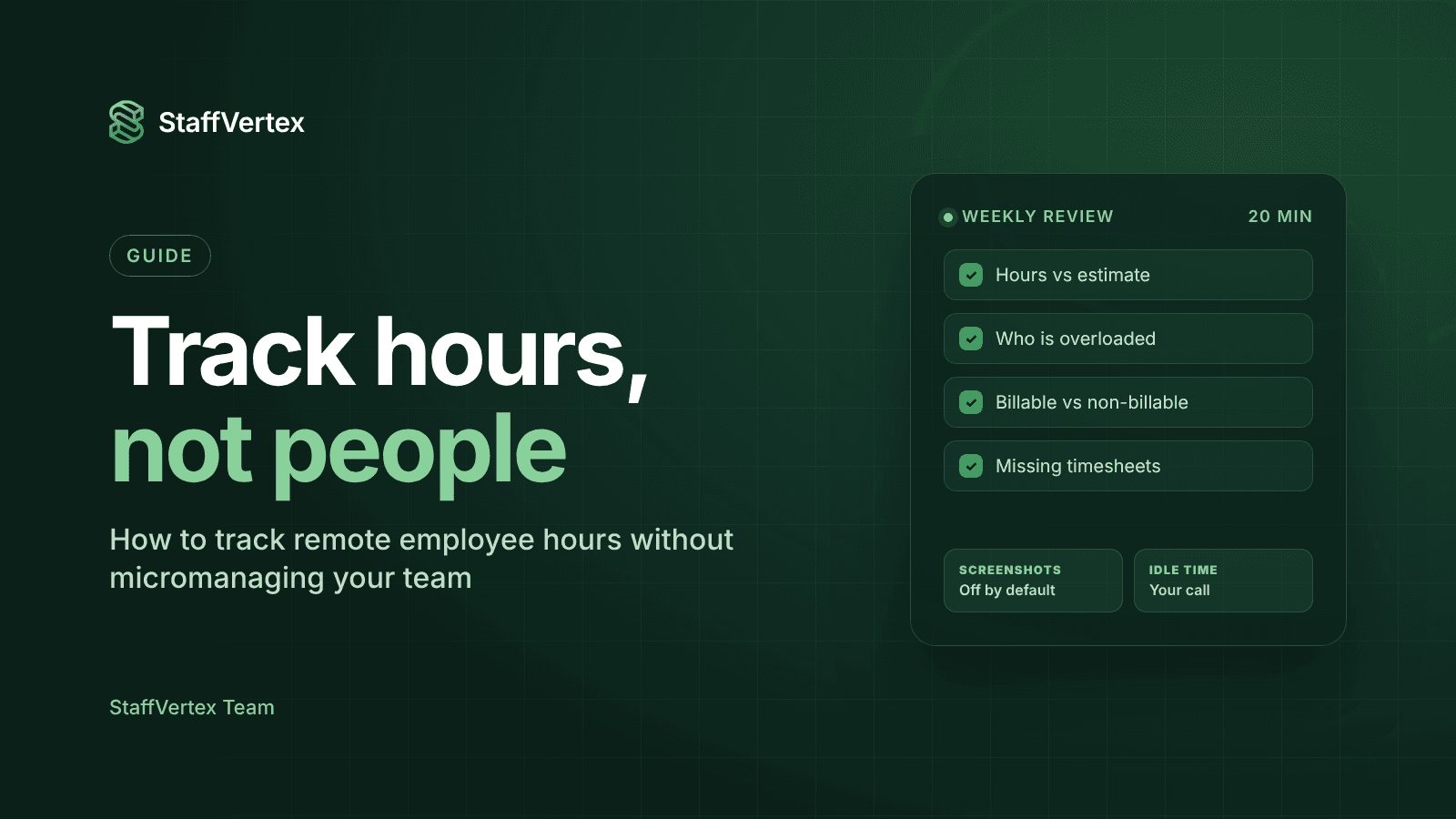
Activity monitoring and optional screenshots, with blur controls, set by the admin and switched off by default.
Idle detection, timesheets and reports by project, person and client, with export and scheduled delivery.
Teams and custom roles with permission-based access.
What you gain
Project management included: boards, cards and task dependencies on every plan, with unlimited projects and tasks from Pro. There is no separate Tasks add-on.
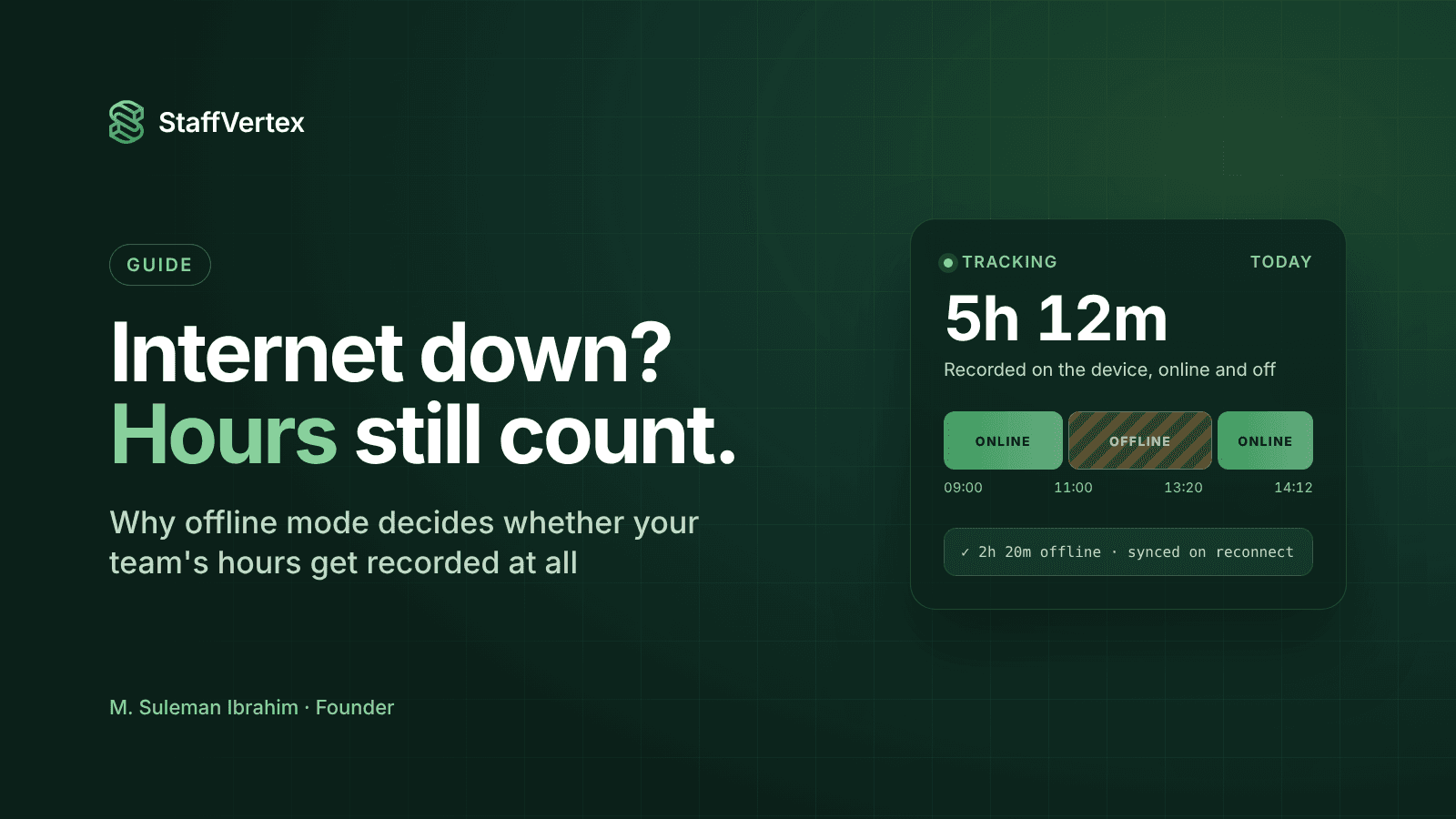
Reliable offline tracking: the desktop app keeps counting when the connection drops and syncs automatically on reconnect, on every plan including Free.
Idle time handled fairly: when someone steps away, StaffVertex asks them whether to keep or discard the time instead of deciding for them.
Invoices and payslips from one set of hours: on Business, you set pay cycles (weekly, bi-weekly, monthly or annual) and hourly rates, and StaffVertex generates project invoices and member payslips automatically.
Simple pricing: no screenshot or app-tracking quotas, and no add-ons to budget for.
Pricing
Plan | Price (monthly billing) | Includes |
|---|---|---|
Free Forever | $0 | 1 user, online and offline tracking, screenshots, basic tasks, 500 MB storage |
Pro | $4/seat/mo | Activity monitoring, unlimited projects and tasks, manual time, enhanced screenshots, detailed reports, 5 GB storage |
Business | $9/seat/mo | Everything in Pro plus finance and invoice management, all reports, priority support, 15 GB storage |
Annual billing saves a further 17%. Both paid plans come with a 14-day free trial, and no card is required (StaffVertex pricing).
Where Hubstaff is still stronger
Hubstaff has native mobile apps with GPS job sites, a Linux desktop app, a large integration library, built-in payouts through services such as Wise and PayPal, and SOC 2 and HIPAA compliance on Enterprise. If those are central to how you work, factor them into your decision.
Hubstaff vs StaffVertex: side by side
For a typical remote team, StaffVertex matches Hubstaff's core tracking at a lower price and without usage caps. Hubstaff keeps the edge on GPS, mobile and integrations.
Feature | Hubstaff | StaffVertex |
|---|---|---|
Paid plans from | $4.99/seat/mo annual, $7 monthly | $4/seat/mo monthly |
Seat minimum on paid plans | 2 seats (reported) | None stated |
Free plan | 1 seat, 100 screenshots/month | 1 user, screenshots and offline tracking |
Screenshot and app/URL limits | 500 (Starter) or 1,500 (Grow) per seat per month; unlimited from Team | No per-seat quotas; storage of 5 GB (Pro) or 15 GB (Business) |
Project and task management | Tasks add-on on Starter; included from Grow | Boards, cards and dependencies on every plan |
Offline tracking | Yes | Yes, on every plan |
Idle handling | Idle timeout from Grow; auto-discard on Team | Prompts the user to keep or discard |
Client invoices | Yes | Yes, on Business |
Payroll and payslips | Payments and payroll on Team and above | Automatic member payslips on Business |
Timesheet approvals | Team and above | Included |
GPS and job sites | Locations add-on ($3.33) or Enterprise | Not available |
Desktop apps | Windows, macOS, Linux | Windows, macOS |
Mobile apps | iOS and Android | Web dashboard only |
Paid add-ons | Insights, Tasks, Locations, Silent app, extra screenshots, data retention | None |
What a 10-person team pays per month
What you need | Hubstaff | StaffVertex |
|---|---|---|
Time tracking, activity and uncapped screenshots | $100 on Team (annual) or $120 (monthly) | $40 on Pro (monthly) |
Add invoicing and payroll or payslips | $100 to $120 on Team | $90 on Business (monthly) |
Add productivity insights after the trial | +$25 for Insights | Included reports, no add-on |
Hubstaff's Starter plan is cheaper at about $50 per month for 10 seats on annual billing, but it caps screenshots and app tracking and excludes payroll, approvals and scheduling. StaffVertex prices drop a further 17% on annual billing. Sources: Hubstaff plans and pricing, StaffVertex pricing.
Other Hubstaff alternatives worth considering
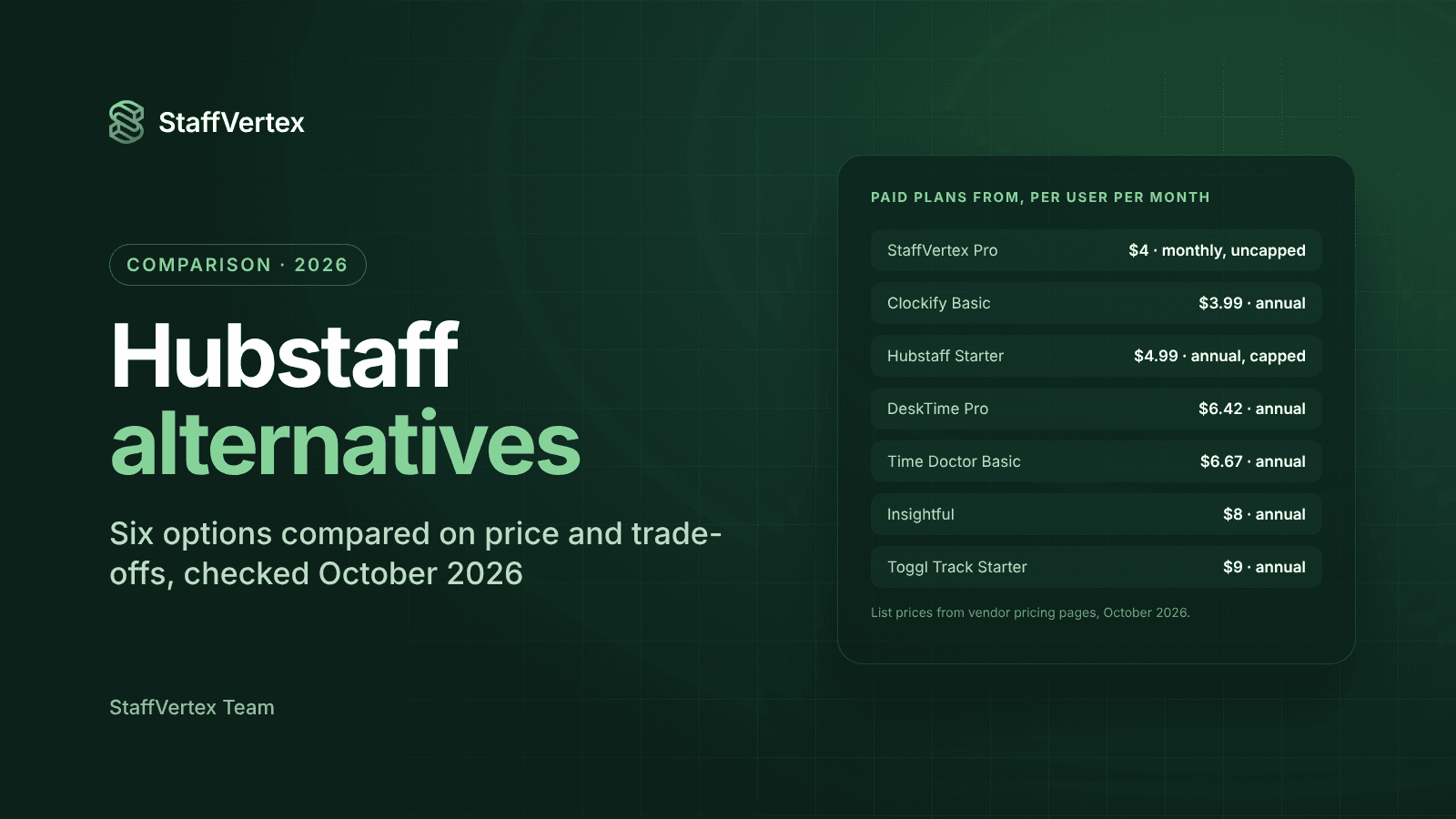
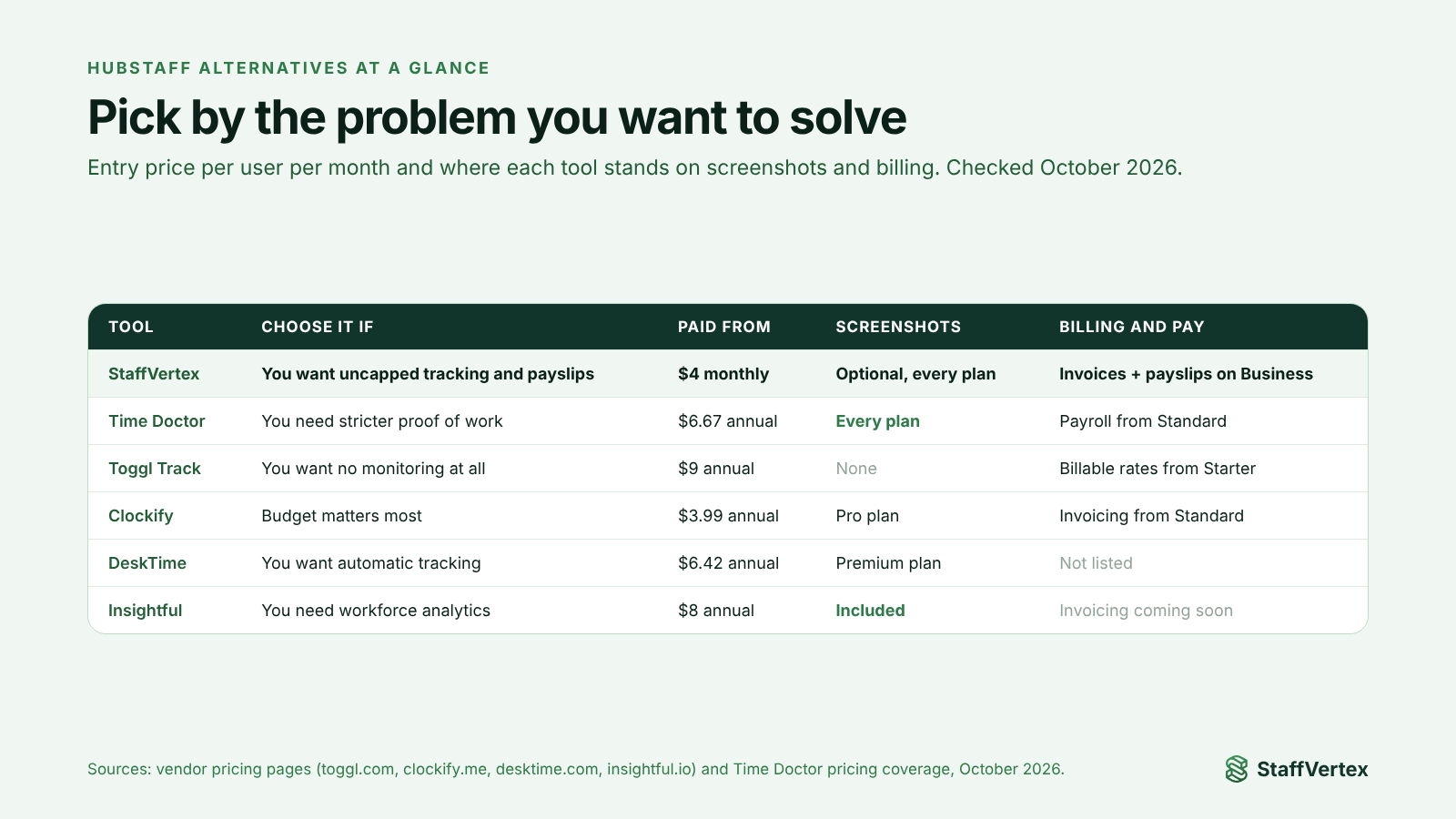
StaffVertex is the best fit for most remote teams, but the right choice depends on why you are leaving. These five tools each solve a different Hubstaff frustration.
Tool | Choose it if | Paid plans from | Trade-off vs Hubstaff |
|---|---|---|---|
You need even stricter proof of work, including video screen recording | $6.67/user/mo annual, $8 monthly | No free plan; monitoring can feel intrusive; best features on Premium | |
Your team wants no screenshots or monitoring at all | $9/user/mo annual; free for up to 3 users | No screenshots or keystroke monitoring; no built-in payroll | |
Budget is the main driver and you want a free start | $3.99/seat/mo annual; free for up to 5 users | Invoicing needs Standard ($5.49); monitoring needs Pro ($7.99) | |
You want fully automatic tracking with productivity scores | $6.42/user/mo annual | No built-in invoicing or payroll; screenshots on Premium ($9.17 annual) | |
You are an enterprise or BPO focused on workforce analytics | $8/seat/mo annual | Invoicing still coming soon; recording and extra screenshots are add-ons |
If you are leaving Hubstaff because of cost and plan limits rather than a need for more monitoring or none at all, StaffVertex remains the closest like-for-like replacement.
How to switch from Hubstaff to StaffVertex
Setup is quick for a small team. Run both tools side by side for one pay cycle before cancelling Hubstaff. Follow these steps:
Export your Hubstaff history. Download your timesheets, project reports and invoices as CSV or PDF so you keep a full record for payroll, clients and audits.
Start your StaffVertex trial. Sign up free with no card and create your organization. Choose Pro for tracking and projects, or Business if you want invoices and payslips.
Recreate your structure. Add your clients, projects and tasks, then set bill rates on hourly projects and pay rates on each member's profile.
Set your pay cycle. On Business, choose weekly, bi-weekly, monthly or annual cycles in organization settings, so invoices and payslips generate automatically.
Invite your team and assign roles. Create teams and give admins, managers and members the permissions they need.
Install the desktop app and set monitoring. Team members install the Windows or Mac app from the download page. Decide whether to enable screenshots and blur, and tell your team exactly what is captured.
Run both tools for one pay cycle. Compare hours in StaffVertex against Hubstaff to confirm they match before you rely on StaffVertex for billing.
Cancel Hubstaff at the end of your billing period. Hubstaff does not give prorated refunds for removed seats, so time the cancellation to your renewal date. Its 30-day money-back guarantee applies only to the first 30 days of a paid plan.
The verdict
Hubstaff remains a strong choice for field teams that rely on GPS, mobile apps and a wide integration library. For desktop-based remote teams, though, much of what you pay for sits behind higher tiers and add-ons.
StaffVertex gives those teams uncapped tracking, activity and screenshots from $4 per seat, project management with no extra module, dependable offline tracking, and invoices and payslips generated from the same hours on Business at $9 per seat. For a 10-person team, that can cut the monthly bill by more than half compared with Hubstaff's Team plan.
Ready to compare for yourself? Start your free 14-day StaffVertex trial, no card required, and run it alongside Hubstaff for one pay cycle.
Sources
Prices and plan details were checked on 23 October 2026 and may change; confirm on each vendor's site.