If you like Toggl Track's simplicity but now need screenshots or activity monitoring, StaffVertex is the closest fit among Toggl Track alternatives. It keeps the one-click timer and clean reports, and adds optional screenshots, activity monitoring, offline tracking and project boards from $4 per seat per month, which is less than Toggl's own Starter plan.
Toggl Track is excellent at what it sets out to do: fast, friendly time logging with strong billing reports. But it deliberately does not monitor employees, and there are good reasons a team might outgrow that. A client may ask for proof of work, a manager may need to verify hours from a new remote hire, or a growing team may simply want more confidence in its timesheets.
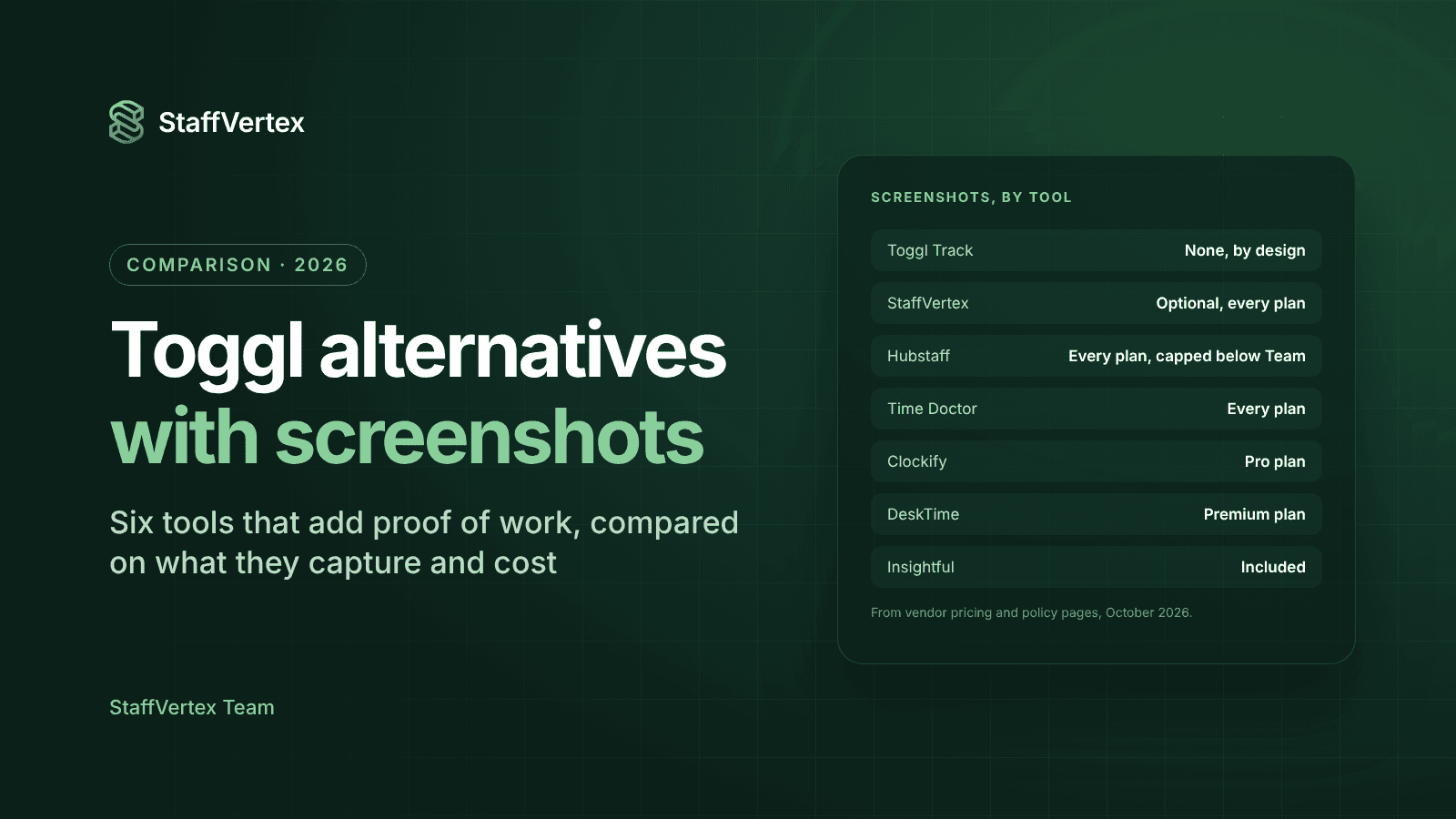
This guide compares six tools that add monitoring to time tracking, explains what each captures and costs, and ends with advice on introducing monitoring without damaging trust. Prices were checked in October 2026.
What Toggl Track deliberately does not do
Toggl states plainly that it does not monitor employees, take screenshots, or record keystrokes, browsing history or location. Its desktop app can build a private timeline of the apps and websites you use, but that timeline is visible only to the user, who decides which activities become time entries.
That is a principled design, and for many teams it is exactly right. It becomes a limitation in a few common situations:
Clients want proof of work. Outsourcing and staff-augmentation clients often ask to see evidence behind billed hours.
You hire remote staff you have not met. Managers want a way to verify hours during onboarding or a probation period.
Hours and output do not match. When timesheets look full but deliverables lag, activity data helps start an honest conversation.
You bill hourly at scale. With many people logging time, managers need a quick way to spot errors before invoices go out.
Toggl's paid plans also cost $9 per user per month on annual billing ($12 monthly) for Starter and $16 ($24 monthly) for Premium, which includes timesheet approvals. If you move to a tool with monitoring, you do not have to pay more.
1. StaffVertex: best Toggl alternative with optional monitoring
StaffVertex feels familiar to Toggl users: you start a timer against a project or task and the hours land in timesheets and reports. The difference is that monitoring is available when you need it, and it is still under your control.
What it adds over Toggl Track
Optional screenshots with blur controls, off by default and available on every plan, including Free. Users are notified when a screenshot is taken.
Activity monitoring on Pro and Business, so managers can see activity levels alongside hours.
Idle detection that asks first: when someone steps away, StaffVertex prompts them to keep or discard the idle time.
Offline tracking in the Windows and Mac desktop app, which keeps counting without internet and syncs on reconnect.
Project boards and task dependencies, so tasks and time live in one place.
Automatic invoices and payslips on Business, generated from the same hours on your chosen pay cycle.
What you keep from Toggl: fast timers, manual time entries, timesheets and approvals, and reports by project, person and client with export and scheduled delivery.
Pricing: Free for one user; Pro $4 per seat per month and Business $9 per seat per month on monthly billing, with a further 17% off on annual billing and a 14-day free trial (StaffVertex pricing).
Consider before switching: Toggl has mobile apps, a browser extension that works inside 100+ tools, calendar integrations and capacity planning. StaffVertex is desktop-first on Windows and macOS with a web dashboard.
Best for: agencies, software houses and outsourcing teams that want Toggl-style simplicity plus the option of proof of work.
2. Hubstaff: best for field teams that need GPS
Hubstaff combines time tracking with activity levels, screenshots, app and URL tracking, GPS job sites and payroll, across Windows, macOS, Linux and mobile.
Monitoring: screenshots and apps/URLs on every plan, capped at 500 per seat per month on Starter and 1,500 on Grow; unlimited from Team.
Price: Starter from $4.99 per seat on annual billing ($7 monthly), Team $10 annual ($12 monthly), with a reported 2-seat minimum.
Watch out for: payroll, approvals and scheduling are Team-only, and Insights and Locations are paid add-ons on most plans.
3. Time Doctor: best for strict proof of work
Time Doctor is built for outsourcing firms that need detailed evidence of work.
Monitoring: screenshots on all plans; web and app usage from Standard; video screen recording and unusual-activity detection on Premium or as add-ons.
Price: Basic $8, Standard $14 and Premium $20 per user per month on monthly billing, with two months free on annual plans. No free plan.
Watch out for: data retention of 3 months on Basic and 6 on Standard, and monitoring that some teams find intrusive.
4. Clockify Pro: best if you already use Clockify
Clockify adds activity monitoring, covering apps, websites, keyboard and mouse activity and optional blurred screenshots, on its Pro plan through a separate agent installed on company devices.
Price: Pro is $7.99 per seat on annual billing ($9.99 monthly). The free plan and lower tiers have no monitoring.
Watch out for: monitoring data is visible only to admins, and the separate agent adds a deployment step.
5. DeskTime: best for automatic productivity scoring
DeskTime tracks automatically whenever the computer is on and classifies apps and websites as productive or not.
Monitoring: URL, app and document-title tracking on Pro; screenshots on Premium.
Price: Pro $6.42 and Premium $9.17 per user per month on annual billing. No free plan.
Watch out for: no invoicing or payroll, and always-on tracking feels different from a timer the employee controls.
6. Insightful: best for enterprise workforce analytics
Insightful positions itself as work intelligence for large teams, BPOs and regulated industries.
Monitoring: screenshots, app and website usage and capacity analysis on Workforce Analytics; screen recording and on-demand screenshots as add-ons.
Price: $8 per seat per month on annual billing, with a 7-day trial.
Watch out for: invoicing is listed as coming soon, and add-ons raise the cost.
Side-by-side comparison
StaffVertex is the lowest-priced way to get uncapped screenshots and activity monitoring in one plan. Prices are per user per month for the lowest plan that includes the feature.
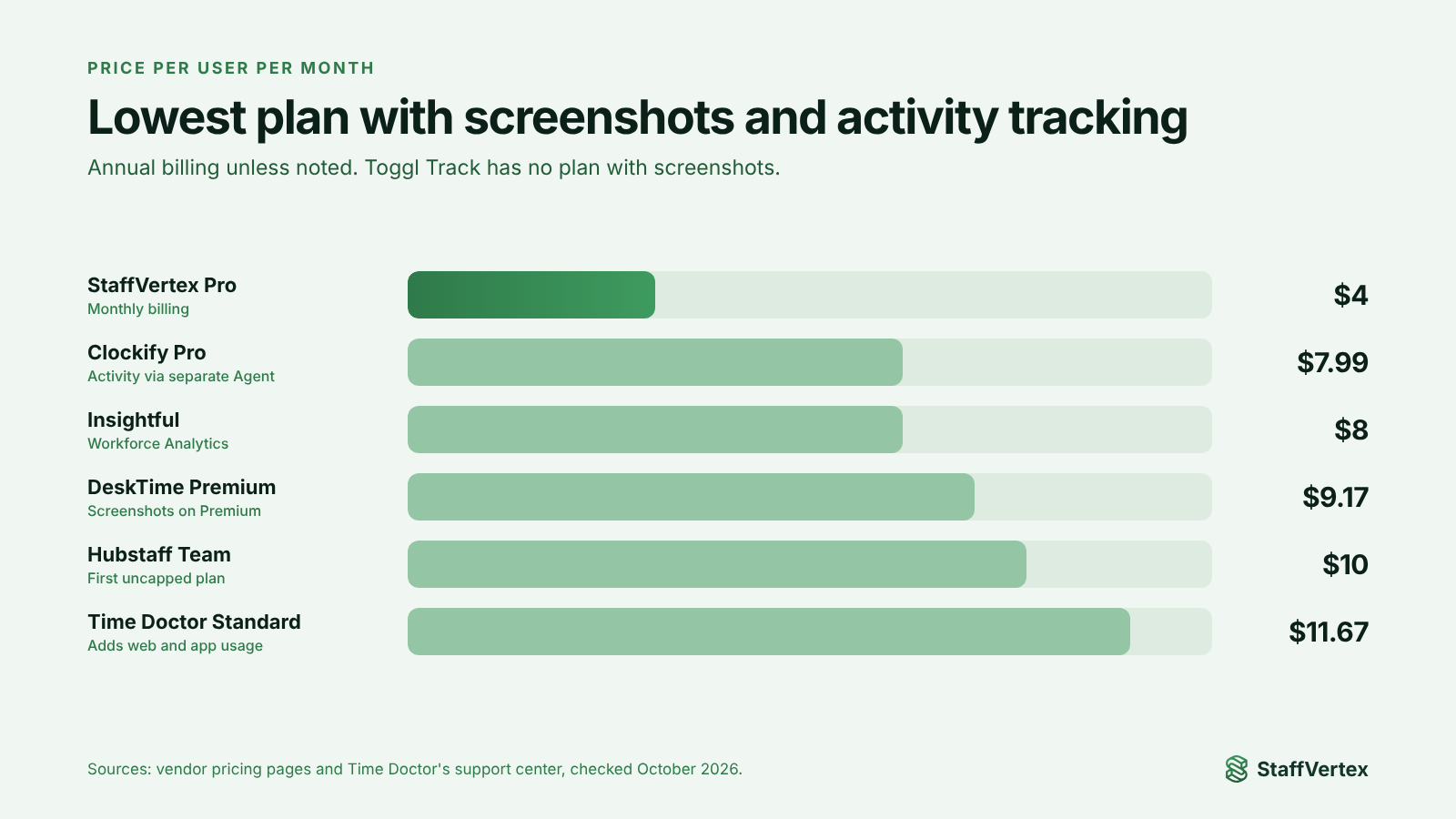
Tool | Screenshots | Activity or app tracking | Lowest plan with both | Price for that plan | Free plan |
|---|---|---|---|---|---|
StaffVertex | Optional, every plan | Pro and above | Pro | $4 (monthly billing) | 1 user |
Hubstaff | Every plan, capped below Team | Every plan, capped below Team | Starter (capped) or Team (uncapped) | $4.99 or $10 (annual) | 1 seat |
Time Doctor | Every plan | Standard and above | Standard | $14 (monthly) | No |
Clockify | Pro, via agent | Pro, via agent | Pro | $7.99 (annual), $9.99 (monthly) | Up to 5 users, no monitoring |
DeskTime | Premium | Pro and above | Premium | $9.17 (annual) | No |
Insightful | Included | Included | Workforce Analytics | $8 (annual) | No |
Toggl Track (for reference) | No | Private to the user only | None | Not available | Up to 3 users |
How to introduce monitoring without losing trust
Many teams chose Toggl because they value trust, so moving to a tool with screenshots needs care. These steps help you add visibility without making people feel watched:
Explain the reason first. Tell the team why you are adding monitoring, for example a client requirement or accurate billing, before anything is installed.
Start with the lightest setting. Begin with activity levels only. Turn on screenshots only for roles or clients that need them.
Blur by default. Blurred screenshots confirm that work happened without exposing sensitive content.
Put people in control of their time. Choose a tool that asks employees how to handle idle time and lets them add notes or manual time with a reason.
Show people their own data. When team members can see what managers see, monitoring feels like a shared record rather than surveillance.
Check local law and put it in writing. Monitoring rules vary by country. Update employment contracts or policies so consent and purpose are clear.
StaffVertex was designed around these principles: screenshots are optional and off by default, blur is built in, users are notified, and idle time is never removed without the person's say.
Try StaffVertex free
Keep the simplicity you liked in Toggl and add the visibility you now need. Start a free 14-day StaffVertex trial, no card required.
Sources
Checked on 23 October 2026; prices and features may change.