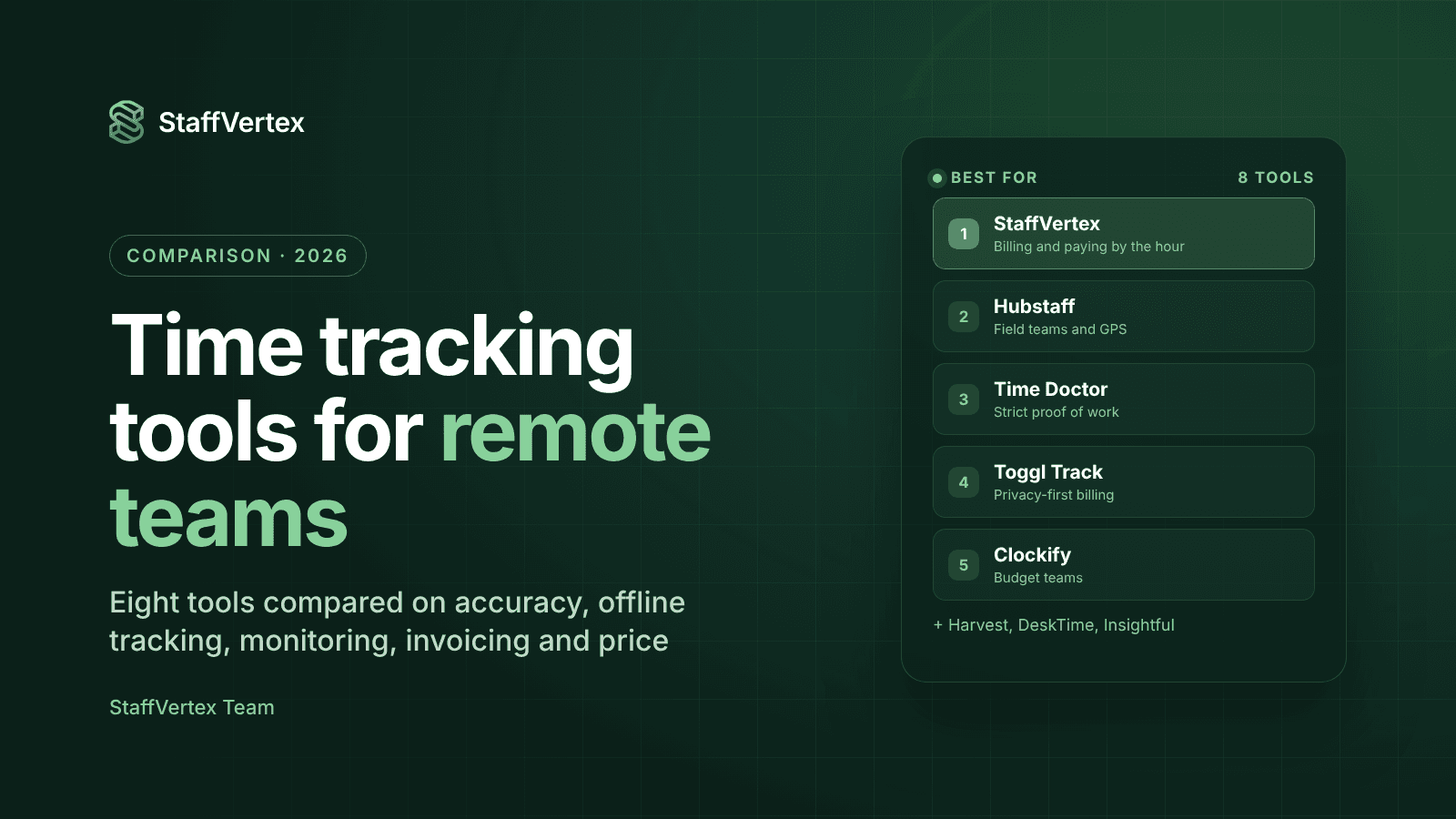
Of all the time tracking tools for remote teams in 2026, the best fit for most teams is the one that turns tracked hours into timesheets, invoices and payroll without extra spreadsheets. That is why StaffVertex tops this list, followed by Hubstaff, Time Doctor, Toggl Track, Clockify, Harvest, DeskTime and Insightful.
Remote work made the hour harder to see. Managers can no longer glance across an office, clients want proof of billable time, and finance needs numbers that match the payroll run. A good tracker answers all three from one record of work.
This guide compares eight time tracking tools for remote teams on the features that matter day to day, what each one costs per user, and which kind of team each fits best. Prices are list prices per user per month as of October 2026. Always confirm on the vendor's pricing page before you buy. We make StaffVertex, so weigh our ranking with that in mind; we have tried to be clear about where other tools are stronger.
How we evaluated these tools
We scored each time tracking software option against six questions a team lead actually asks before rolling out a tracker:
Accuracy: Does it capture hours reliably, including idle time and work done without a connection?
Offline tracking: Can people keep tracking when the Wi-Fi drops, and does the data sync cleanly afterwards?
Project and task context: Are hours tied to projects and tasks, or just a clock-in log?
Money features: Can tracked hours become client invoices and member pay without exporting to another tool?
Privacy controls: Are screenshots and activity monitoring optional and configurable, so you choose the level of oversight?
Price for value: What does a 10-person team really pay for the features it needs, not just the entry tier?
1. StaffVertex: best overall for remote teams that bill and pay by the hour
StaffVertex takes first place because it closes the loop other trackers leave open: the same hours that fill the timesheet also produce the client invoice and the member payslip. Team members start a timer once in the Windows or Mac desktop app, and the web dashboard turns that time into timesheets, reports, invoices and payroll.
Key features
Desktop time tracking on Windows 10/11 and macOS 12+, living in the system tray with a global shortcut.
True offline tracking: the desktop app keeps counting when the connection drops and syncs automatically when it returns, so remote and on-site staff with patchy internet lose nothing.
Idle detection that asks, not assumes: when someone steps away, StaffVertex prompts them to keep or discard the idle time instead of silently deleting it.
Built-in project management: boards, cards and task dependencies, so every task carries the hours spent on it and blocked work is visible.
Finance and invoicing: set pay cycles (weekly, bi-weekly, monthly or annual) and per-hour rates, and StaffVertex generates member payslips and project invoices from tracked hours automatically.
Optional screenshots with blur controls, off by default, plus activity monitoring on paid plans. You choose the level of oversight.
Reports by project, person and client, with export and scheduled delivery.
Teams and custom roles with permission-based access.
Pricing
Plan | Monthly billing | Highlights |
|---|---|---|
Free Forever | $0 | 1 user, online and offline tracking, screenshots, basic tasks, 500 MB storage |
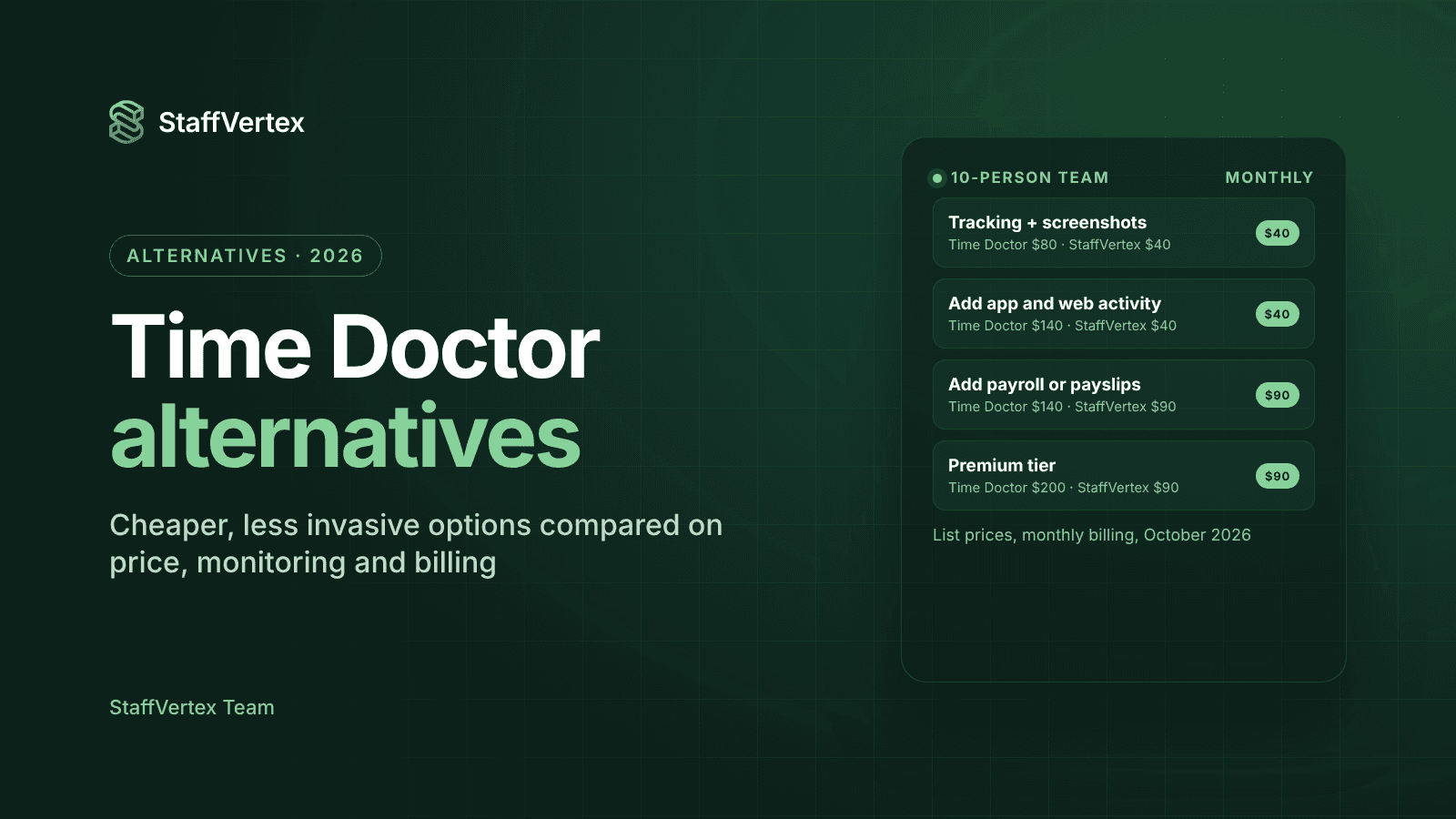
Pro | $4/seat/mo | Activity monitoring, unlimited projects and tasks, manual time, detailed reports, 5 GB |
Business | $9/seat/mo | Everything in Pro plus finance and invoice management, all reports, priority support, 15 GB |
Annual billing saves a further 17%. Every paid plan comes with a 14-day free trial, and no card is required.
Pros
Timesheets, invoices and payroll come from one set of hours, so billing and pay always agree.
Offline tracking is included on every plan, including Free.
Project management is built in, so small teams may not need a separate task tool.
The Pro plan is one of the lowest-priced full team plans on this list.
Cons
A newer product, so it has a smaller integrations library than long-established tools.
Desktop apps cover Windows and macOS; there is no Linux client yet.
Best for: agencies, software houses, consultancies and outsourcing teams that bill clients hourly and pay staff or freelancers by the hour.
2. Hubstaff: best for field teams and GPS tracking
Hubstaff is one of the best-known names in employee time tracking, with apps for Windows, macOS, Linux, iOS, Android and Chrome. It pairs time tracking with activity levels, screenshots, app and URL tracking, GPS job sites and payroll.
Key features
Activity levels, screenshots (optionally blurred), and app and URL tracking.
GPS time tracking with geofenced job sites for field teams, through the paid Locations add-on.
Payroll automation on the Team plan and above.
Integrations with popular project management and accounting tools.
Workforce analytics through Insights, an add-on below the Team plan.
Pricing (October 2026): Starter $4.99, Grow $7.50 and Team $10 per seat per month on annual billing ($7, $9 and $12 month to month), and Enterprise $25. Hubstaff's pricing page lists no free plan, only a 14-day free trial with no card required, and its support docs note a 2-seat billing minimum (Hubstaff pricing, pricing guide).
Pros
Mature product with broad platform support, including Linux and mobile GPS.
Payroll automation is built into the Team plan.
Cons
Starter and Grow cap screenshots and app and URL tracking at 500 and 1,500 per user per month, and payroll sits on Team and above.
Insights (from $2.50) and GPS Locations (from $3.33 per user per month) are paid add-ons, so the real cost climbs quickly.
Best for: field-service teams and larger remote companies that need GPS and deep payroll integrations.
3. Time Doctor: best for strict proof-of-work monitoring
Time Doctor is built for companies that want close oversight of distributed staff, such as BPOs and outsourcing firms. It combines time tracking with screenshots, screen recording, distraction alerts and productivity ratings.
Key features
Screenshots on every plan, and video screen recording on Premium (a $3 add-on on lower plans).
Website and app usage with productivity ratings, from the Standard plan.
Payroll features on Standard and Premium.
60+ integrations on Standard and Premium.
Pricing (October 2026): Basic $8, Standard $14 and Premium $20 per user per month on monthly billing; annual billing gives two months free (about $6.67, $11.67 and $16.67 per month). There is no free plan; new accounts get 14 days of Premium features with no card required (Time Doctor support).
Pros
Deep monitoring for teams that must document every billable minute to clients.
Detailed productivity and web usage reports.
Cons
Monitoring can feel intrusive and cause pushback from staff.
App and website reports, payroll and integrations start on Standard ($14 a month), and video recording needs Premium, so costs rise quickly.
No free plan.
Best for: BPOs, call centers and outsourcing agencies that need heavy proof-of-work evidence.
4. Toggl Track: best for privacy-first teams that bill clients
Toggl is the opposite of a monitoring tool. It takes no screenshots and does not monitor employees, and it focuses on fast timers, planning and clean billable reports.
Key features
One-click timers on web, desktop, mobile and a browser extension.
Private desktop activity timeline: users decide which activities become time entries.
Billable rates, project estimates, timelines and capacity planning.
Profitability reports, fixed-fee projects and timesheet approvals on Premium.
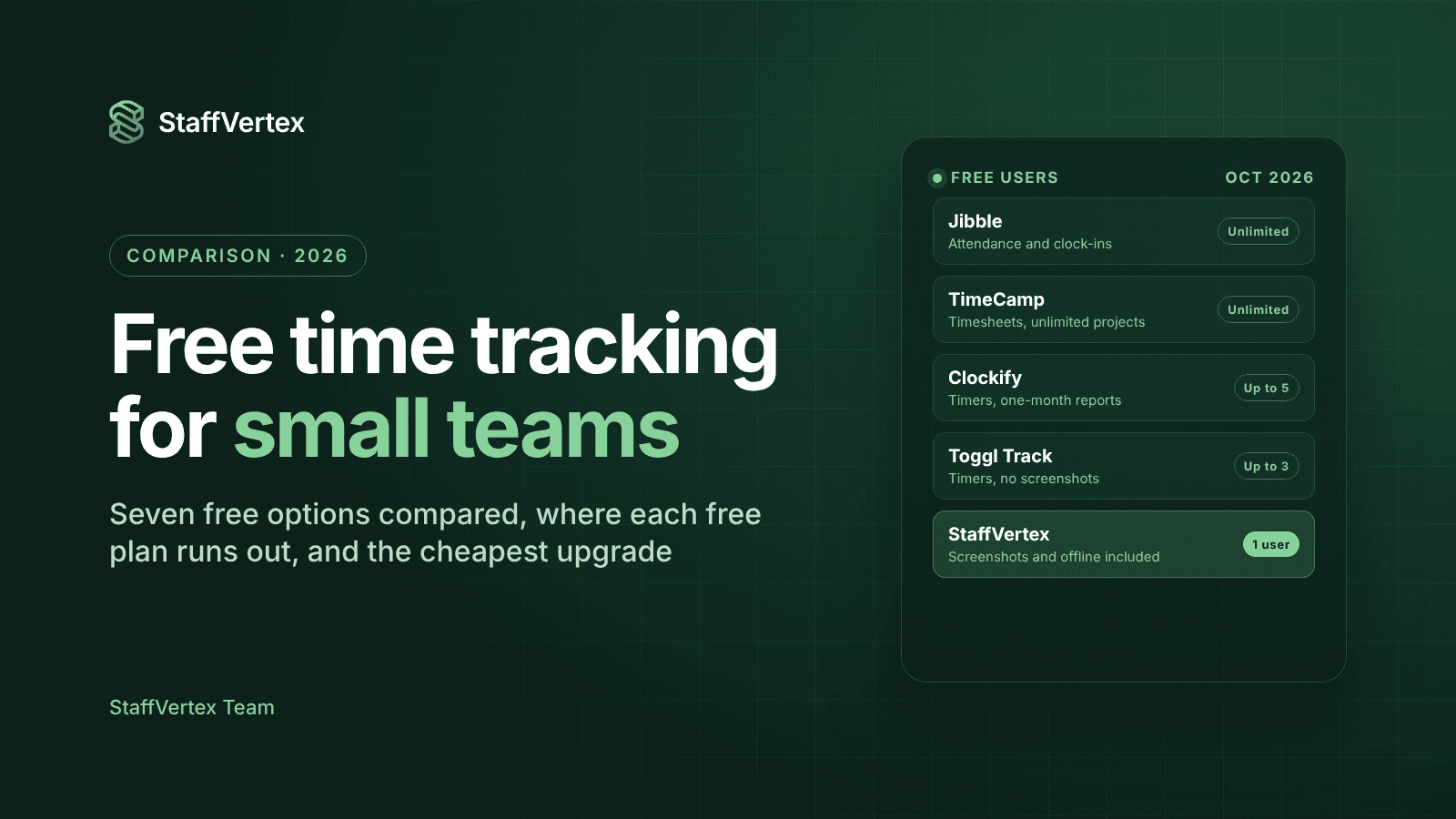
Pricing (October 2026): Free for up to 3 users. Starter is $9 and Premium $16 per user per month on annual billing ($12 and $24 month to month), with Enterprise on request and a 30-day trial (Toggl pricing).
Pros
Very easy to adopt; teams tend to actually use it.
Strong reporting on billable hours, utilization and margins.
Cons
No screenshots or activity monitoring if you need proof of work.
No built-in payroll, and profitability features require Premium.
Best for: freelancers, consultancies and creative agencies that value trust and billing accuracy over monitoring.
5. Clockify: best budget option with a broad feature ladder
Clockify is a popular low-cost tracker with apps for web, Windows, macOS, Linux, iOS, Android and browsers. It offers timers, timesheets and a shared-device kiosk, then adds invoicing, approvals, GPS and activity monitoring as you move up the plans.
Key features
Timer, weekly timesheet, calendar view and clock-in kiosk.
Invoicing, timesheet approvals and time off on Standard.
Activity monitoring, screenshots and GPS on Pro.
Integrations with popular project management tools.
Pricing (October 2026): Free for up to 5 users. Basic $3.99, Standard $5.49, Pro $7.99 and Enterprise $11.99 per seat per month on annual billing ($4.99 to $14.99 month to month), with a 7-day free trial of most paid features (Clockify pricing).
Pros
Low entry price and a usable free plan for very small teams.
A lot of features for the money at the Pro tier.
Cons
The free plan limits reports to a one-month range and has no billable rates.
Invoicing needs Standard, and activity monitoring needs Pro, so the cheapest plan is mostly administration.
Best for: cost-conscious small businesses that want to start free and grow into more features.
6. Harvest: best for invoicing-focused agencies
Harvest has long been a favorite of agencies and consultancies because invoicing and payments sit at its core. It tracks time and expenses, then turns them into polished client invoices that sync with Stripe, QuickBooks and Xero.
Key features
One-click timers, daily and weekly timesheets and calendar imports.
Invoicing, expense tracking and project estimates on every plan.
Integrations with accounting and payment tools such as QuickBooks, Xero and Stripe.
Profitability reporting and timesheet approvals on Enterprise.
Pricing (October 2026): Free for 1 seat and 2 projects. Teams is $9 and Enterprise $14 per seat per month on annual billing ($11 and $17.50 month to month), with a 30-day trial. Harvest also bills extra for additional invoices, projects, clients and tasks as usage grows (Harvest pricing).
Pros
Excellent invoicing and payment workflows.
Clean, simple interface that teams pick up quickly.
Cons
No screenshots or activity monitoring.
Usage-based add-on charges make the final bill less predictable.
Profitability reports and approvals are Enterprise-only.
Best for: agencies and consultancies whose main pain point is getting invoices out.
7. DeskTime: best for fully automatic productivity tracking
DeskTime markets itself as a set-and-forget tracker: the desktop app records work time automatically and classifies apps and websites as productive or not. It suits managers who want productivity percentages without asking staff to start timers.
Key features
Automatic time tracking through the desktop app.
URL, app and document title tracking with productivity calculations.
Screenshots and shift scheduling on Premium.
Pricing (October 2026): Pro $6.42 and Premium $9.17 per user per month on annual billing, with Enterprise custom for 200+ users. There is a 14-day free trial and no free plan (DeskTime pricing).
Pros
Zero-effort tracking for staff.
Useful productivity and attendance dashboards.
Cons
No built-in invoicing or payroll.
Screenshots require Premium, and there is no free plan.
Automatic tracking can feel more like surveillance than a timer the employee controls.
Best for: office and hybrid teams that care most about productivity metrics and attendance.
8. Insightful: best for enterprise workforce analytics
Insightful positions itself as a work intelligence platform rather than a simple timer. It targets operations and finance leaders who want capacity analysis, app usage and workflow data across large teams.
Key features
Automatic clock-in, active and idle time, and real-time team overview.
Screenshots, app and website usage, and capacity analysis.
Optional screen recording, on-demand screenshots and a workspace security plan as paid add-ons.
On-premise deployment for organizations with 250+ licenses.
Pricing (October 2026): Workforce Analytics is $8 per seat per month on annual billing. A Workflow Optimization plan (beta) is $12, a combined plan is $16, and Enterprise is custom. Add-ons such as screen recording cost about $3 to $4 per seat. There is a 7-day free trial (Insightful pricing).
Pros
Deep analytics on workload, utilization and software usage.
On-premise and private cloud options for regulated industries.
Cons
Invoicing and budgeting are still listed as coming soon.
Heavy monitoring focus and add-on pricing can be more than a small team needs.
Best for: mid-size and enterprise companies, BPOs and regulated industries focused on workforce analytics.
Comparison at a glance
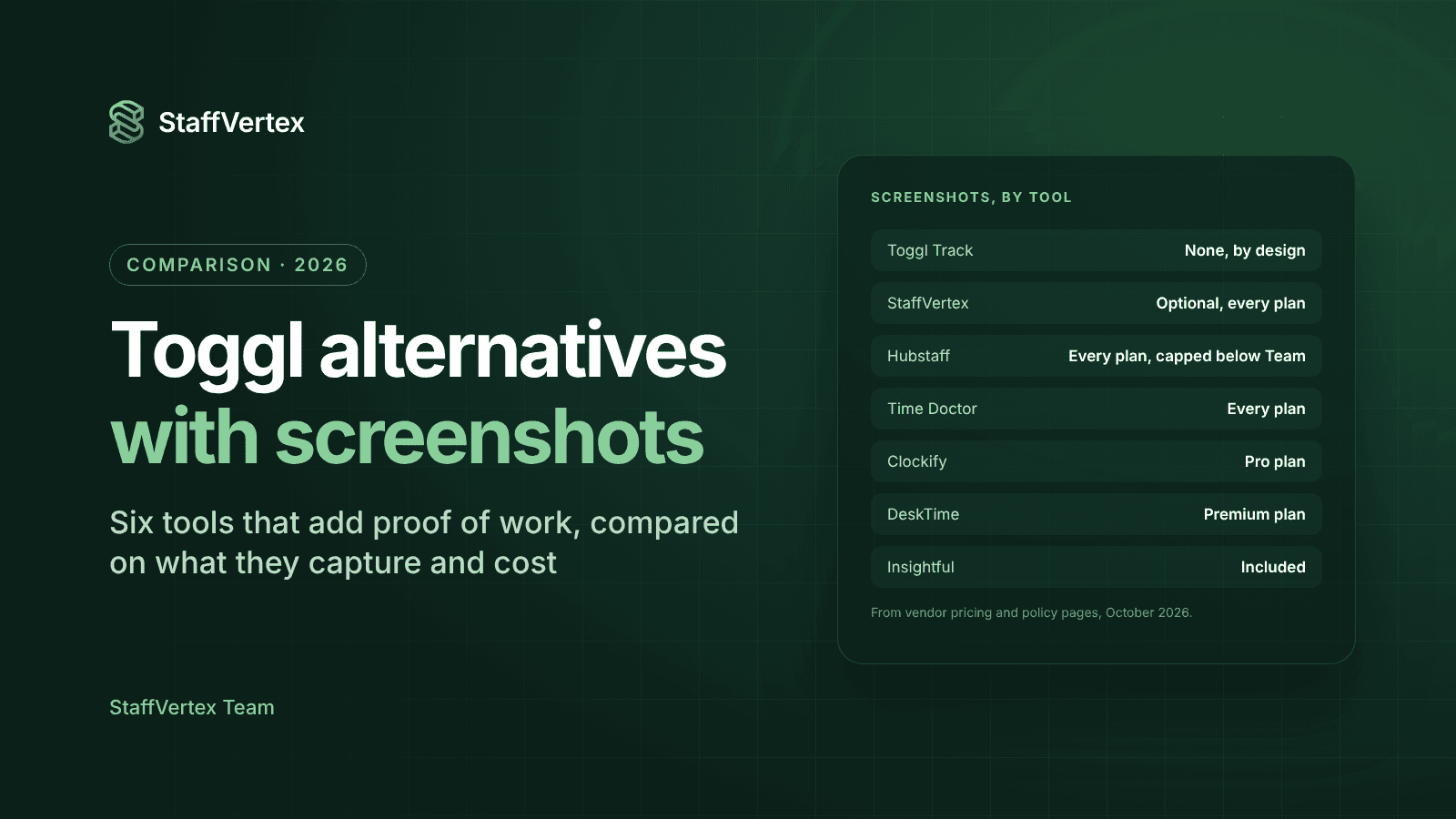
StaffVertex and Clockify have the lowest entry prices, at about $4 per user. StaffVertex stands out because offline tracking and screenshots are on every plan, and its $9 Business plan adds invoices and member payslips; Hubstaff's closest equivalent, payroll, starts on its $10 Team plan. Prices below are the lowest paid tier per user per month; competitors are shown on annual billing, and StaffVertex at its monthly price, which drops a further 17% on annual billing.
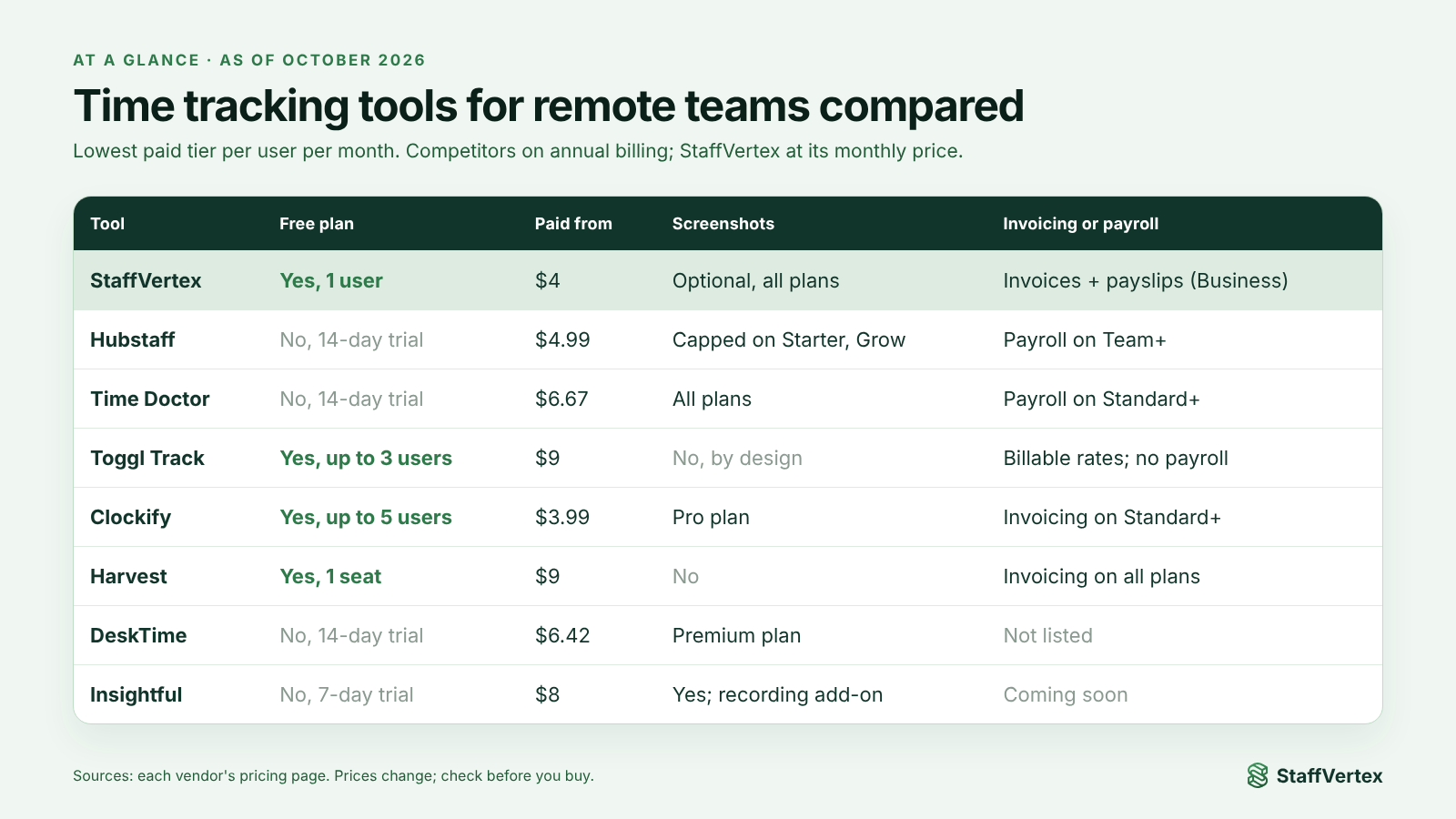
Tool | Best for | Free plan | Paid from (USD/user/mo) | Screenshots / monitoring | Invoicing or payroll |
|---|---|---|---|---|---|
StaffVertex | Teams that bill and pay by the hour | Yes, 1 user | $4 (monthly) | Optional, all plans | Invoices and payslips (Business) |
Hubstaff | Field teams, GPS | No (14-day trial) | $4.99 (annual) | Yes, capped on lower tiers | Payroll on Team and above |
Time Doctor | Strict proof of work | No | $6.67 (annual) | Yes, video on Premium | Payroll exports |
Toggl Track | Privacy-first billing | Yes, up to 3 users | $9 (annual) | No, by design | No payroll; billable rates from Starter |
Clockify | Budget teams | Yes, up to 5 users | $3.99 (annual) | Activity monitoring on Pro | Invoicing on Standard |
Harvest | Invoicing-first agencies | Yes, 1 seat | $9 (annual) | No | Invoicing on all plans |
DeskTime | Automatic productivity tracking | No | $6.42 (annual) | Premium plan | No |
Insightful | Enterprise analytics | No | $8 (annual) | Yes, recording as add-on | Coming soon |
How to choose between time tracking tools for remote teams
Start with the problem you are solving, not the feature list. Match your main need to the tool built for it:
You bill clients and pay staff by the hour: choose StaffVertex, so one set of hours drives both invoices and payslips.
Your team works in the field: Hubstaff's GPS job sites are hard to beat.
Clients demand heavy proof of work: Time Doctor or Insightful offer the deepest monitoring.
Your culture is trust-first and you never want screenshots: Toggl Track or Harvest.
You need the lowest possible cost: Clockify's free plan or StaffVertex Pro.
Staff often lose internet: make sure offline tracking is included on your plan, as it is on every StaffVertex plan.
Before committing, run a two-week trial with a small group, check that exported hours match what people actually worked, and price the plan you will really need in six months, including add-ons.
The verdict
All of these time tracking tools for remote teams record hours well; the difference is what happens to the hours afterwards. Hubstaff and Time Doctor lean toward monitoring, Toggl and Harvest toward billing, and DeskTime and Insightful toward analytics.
StaffVertex earns the top spot because it joins these up for small and mid-size teams: a desktop timer that works offline, optional screenshots, built-in task boards, and invoices and payslips generated from the same hours, starting at $4 per user.
Try it yourself: start a free 14-day StaffVertex trial, no card required, and read your first report before the end of the day.
Sources
Prices and features are as of October 2026 and can change; confirm on each vendor's page.