StaffVertex is a time tracker for remote teams, and a lot of our users work in places where power and internet are not guaranteed. A time tracker that loses hours during an outage is worse than useless: it creates disputes about pay and invoices. So our offline time tracker, the desktop app, had to meet a strict set of requirements:
Keep counting with no network, for minutes or days.
Never lose recorded time, even across crashes, restarts and power cuts.
Produce durations nobody can inflate by changing the system clock.
Produce timestamps the server can trust, even when recorded offline.
Sync automatically and exactly once when the connection returns.
Stay light, because it runs all day in the system tray on ordinary laptops.
This post walks through how we met those requirements with Tauri and Rust, what the architecture looks like, and what we learned along the way.
Why Tauri and Rust
We considered three options.
A web timer. Easy to ship, but a browser tab cannot reliably keep running, persist data or read system idle state, and it stops being useful the moment the connection drops.
Electron. Mature and familiar, but each app bundles its own Chromium runtime, which makes installers large and memory use heavy for something that sits in the tray for eight hours a day.
Tauri with a Rust core. Tauri uses the operating system's own webview for the interface and a Rust backend for everything else. That gave us:
Small installers and low memory use, because there is no bundled browser engine.
A native core for the critical parts, so the timer, local storage and clock logic run in Rust, independent of the UI.
Direct access to OS APIs for monotonic clocks and idle detection on Windows and macOS.
Memory safety and strong typing in the code that decides how much people get paid.
Tray and global shortcuts through Tauri's plugins, so starting the timer is one keystroke.
The web dashboard, where managers review timesheets and reports, is a Next.js application; the desktop app talks to the same API.
Architecture of the offline time tracker
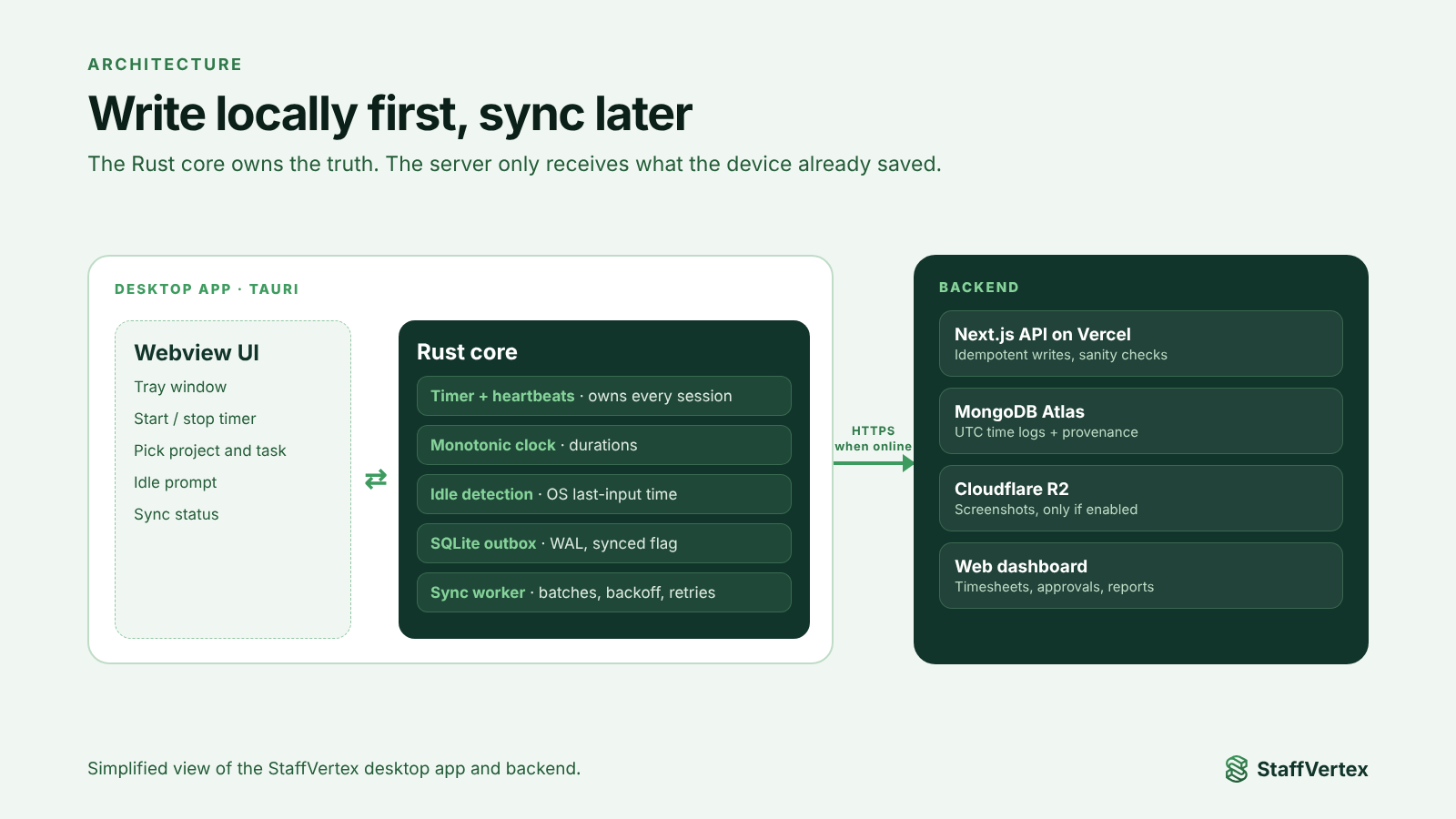
The Rust core owns the truth. The UI asks the core to start or stop a session and displays what the core reports; it never computes time itself.
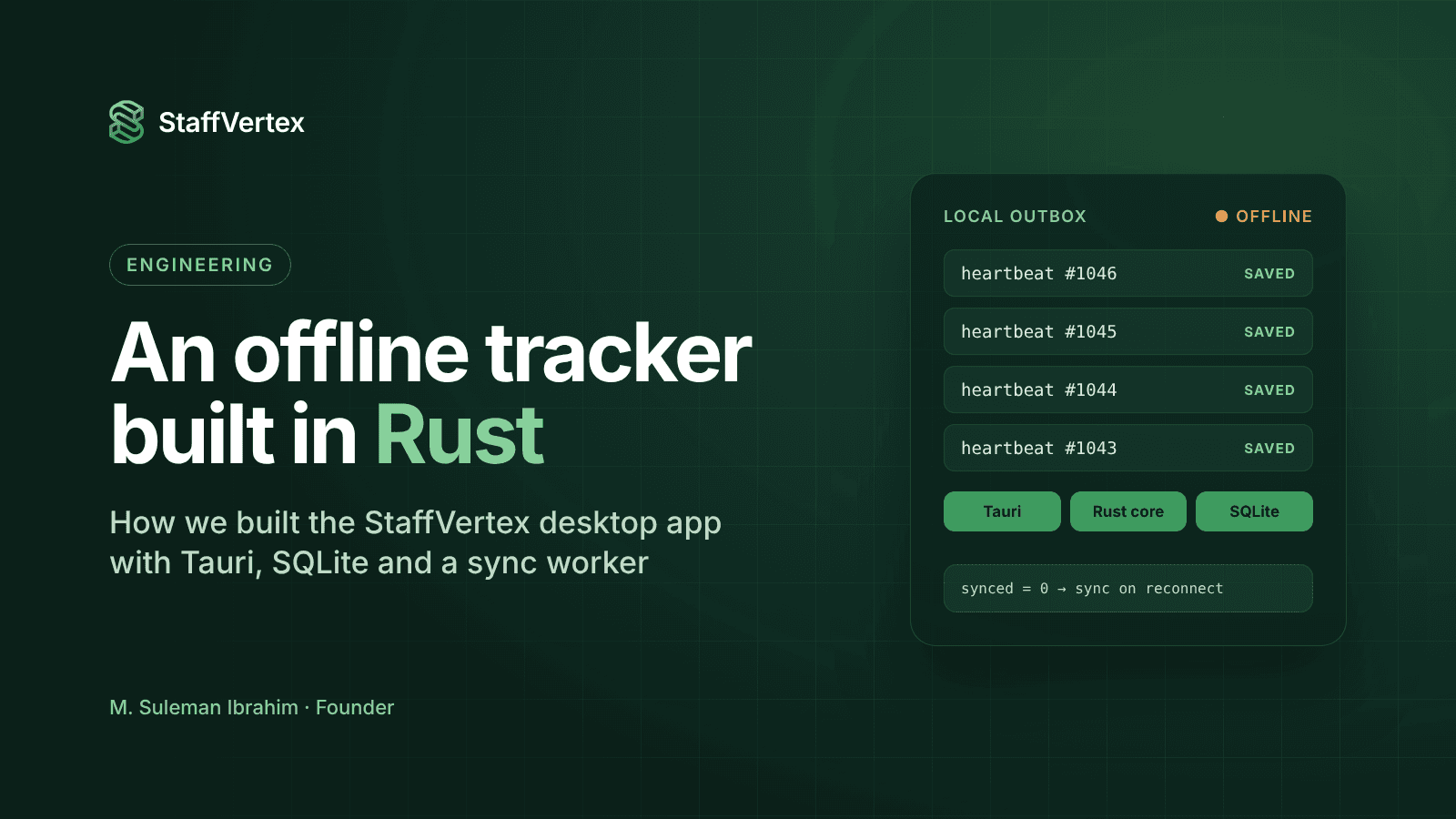
Everything is written locally first. Sessions and heartbeats go to SQLite on the device before any network call.
A background sync worker uploads whatever is pending whenever the network is available.
The server stores time logs in UTC alongside metadata describing how each log was recorded.
The local buffer: never lose a second
The core rule is write locally first, sync later. While a session runs, the Rust core records a heartbeat at a short, fixed interval to a SQLite database on the device. Each heartbeat carries the session, a sequence number, the monotonic elapsed time and whether the user was idle.
Because heartbeats are durable, a crash or power cut costs at most one heartbeat interval. When the app restarts, it finds the unfinished session, closes it at the last heartbeat and queues it for sync.
A simplified version of the write path:
// Simplified illustration, not production code.
use rusqlite::{params, Connection};

pub struct Heartbeat {
    pub session_id: String,
    pub seq: i64,
    pub mono_elapsed_ms: u64, // from a monotonic clock, see next section
    pub device_utc_ms: i64,   // device wall clock, kept for reference only
    pub idle: bool,
}

pub fn record(conn: &Connection, hb: &Heartbeat) -> rusqlite::Result<()> {
    conn.execute(
        "INSERT INTO heartbeats
          (session_id, seq, mono_elapsed_ms, device_utc_ms, idle, synced)
        VALUES (?1, ?2, ?3, ?4, ?5, 0)",
        params![
            hb.session_id,
            hb.seq,
            hb.mono_elapsed_ms as i64,
            hb.device_utc_ms,
            hb.idle
        ],
    )?;
    Ok(())
}
A few settings matter more than they look:
Write-ahead logging (WAL) lets the sync worker read while the timer writes, without blocking.
Small, frequent transactions mean an abrupt power loss leaves the database consistent.
A synced flag per row makes the buffer an outbox: nothing is deleted until the server confirms it.
Time you can trust offline
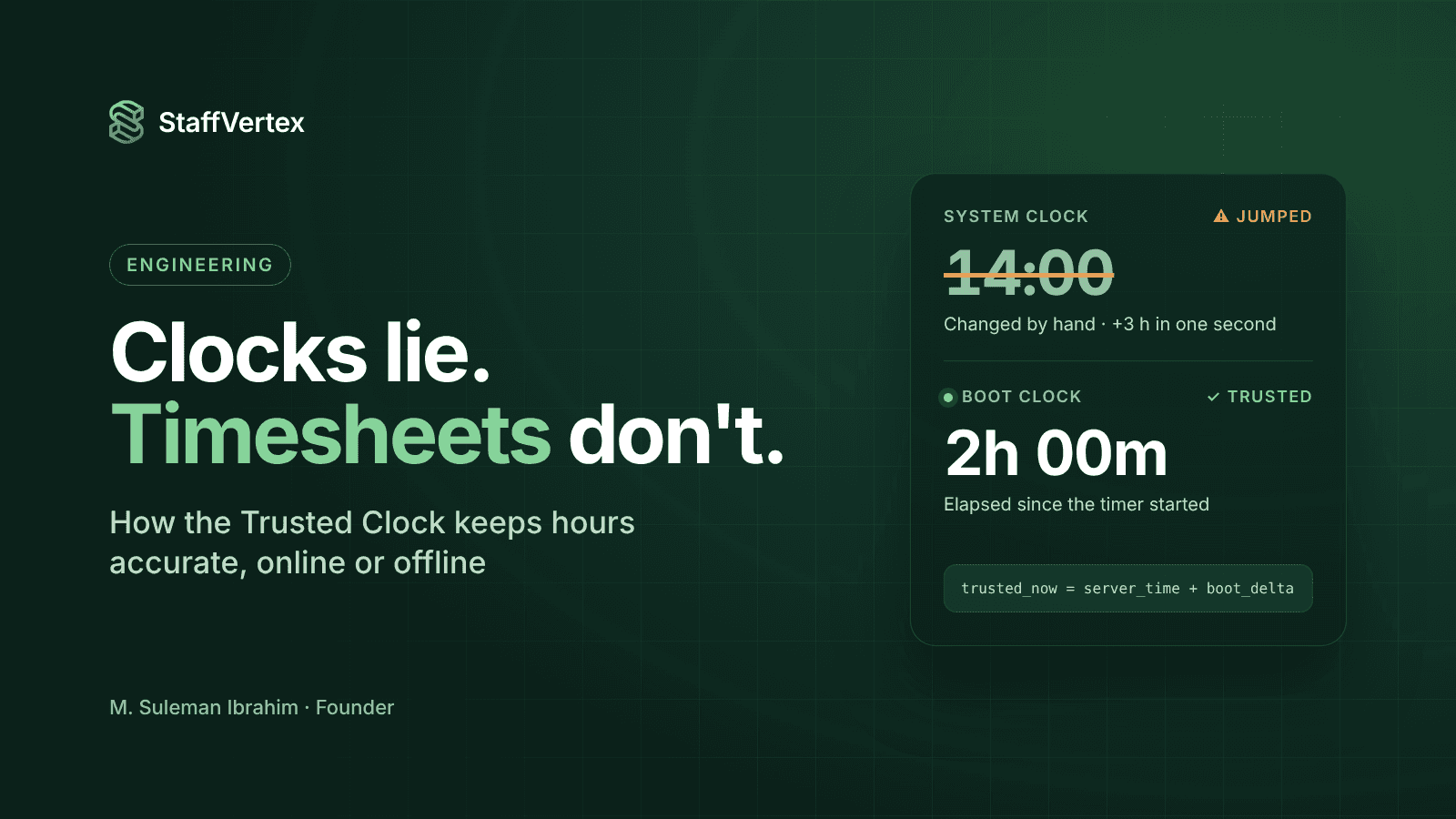
Offline, the only clock available is the device's wall clock, and wall clocks drift, jump on time-zone and daylight-saving changes, resync abruptly, and can be edited by anyone with access to the settings. If you compute durations as end_wall - start_wall, all of those problems become payroll problems.
We split time into two questions.
How long? Measured with a monotonic boot-time clock, which only moves forward, keeps counting through sleep, and ignores changes to the wall clock:
Windows: GetTickCount64
macOS: mach_continuous_time
Linux equivalent: CLOCK_BOOTTIME
// Simplified illustration of a boot-time clock in milliseconds.
#[cfg(target_os = "windows")]
fn boot_clock_ms() -> u64 {
    unsafe { windows_sys::Win32::System::SystemInformation::GetTickCount64() }
}

#[cfg(target_os = "macos")]
fn boot_clock_ms() -> u64 {
    extern "C" { fn mach_continuous_time() -> u64; }
    let ticks = unsafe { mach_continuous_time() };
    ticks_to_ms(ticks) // convert using mach_timebase_info
}
When? Anchored to server time. Whenever the app is online, it performs an NTP-style exchange with the server: it notes the boot clock before and after a request, takes the server's timestamp from the response, and uses half the round trip to estimate the offset. From then on:
trusted_now = anchor_server_ms + (boot_clock_ms() - anchor_boot_ms)That value does not change if someone moves the system clock, because it never reads the wall clock.
Detecting clock steps. Between heartbeats, the app compares how far the wall clock moved with how far the boot clock moved. A large disagreement means the wall clock was stepped, and the session is flagged and re-based on the next server anchor. Timestamps are stored as UTC epoch milliseconds, so time zones only matter at display time.
I go deeper into this design, including the bugs it fixed, in a separate post on our "Trusted Clock".
Syncing safely
When the connection returns, the sync worker drains the local outbox. Three ideas keep this safe.
1. Batching with backoff. Pending heartbeats and sessions are sent in batches. If a request fails, the worker waits and retries with increasing delays, so a flaky connection does not hammer the API or drain the battery.
2. Idempotent writes. Every heartbeat has a stable identity, its session and sequence number, so the server can treat a repeated upload as the same record rather than new time. If a batch succeeds on the server but the confirmation is lost, retrying it does no harm. Rows are marked synced only after the server confirms them.
3. Provenance on every log. Each time log stored on the server carries metadata about how it was recorded: whether it was captured online or offline, the clock anchor it was based on, whether a clock step was detected, and the app version. That lets the server apply sanity checks, such as rejecting a session longer than the real time that could have elapsed, and lets us explain any record if a client or employee asks.
Idle detection and the tray experience
The Rust core reads the operating system's last-input time to detect inactivity. When a threshold passes, it marks the idle start using the monotonic clock. When the person comes back, the tray window asks whether that time was work or a break, and the answer is stored with the session. This works identically offline, because it never needs the server.
The tray window is deliberately small: the current task, the running time, today's total, the sync status and a clear idle prompt. A global shortcut starts and stops the timer without opening anything.
Lessons learned
Treat wall-clock time as untrusted input. Most of our early timing bugs came from mixing wall-clock and monotonic readings. In total we fixed four of them, across the timer, the heartbeat and the local store.
Test offline on purpose. Pull the network cable, suspend the laptop, change the time zone and edit the system clock mid-session. These are exactly the cases where offline trackers break.
Keep the UI dumb. Letting the Rust core own all timing logic made the webview simpler and the behavior consistent across Windows and macOS.
Design for explanation. Provenance metadata costs little to store and pays for itself the first time someone asks, "Why does my timesheet say this?"
Try it
The StaffVertex desktop app is available for Windows 10/11 and macOS 12+. Download it, start a timer, turn off your Wi-Fi, and watch the hours arrive when you reconnect. Plans start free for one user, and a 14-day trial covers the whole team.
If you are building something similar and want to compare notes, I would be glad to hear from you.