If you like DeskTime's productivity data but still export hours to a spreadsheet to invoice clients and pay staff, StaffVertex closes that gap most directly of the DeskTime alternatives we compared. On its $9 Business plan, the same tracked hours automatically become project invoices and member payslips on the pay cycle you choose, alongside activity monitoring, optional screenshots and project boards.
DeskTime is a well-regarded automatic time tracker. It records work time automatically through its desktop app and scores productivity by app and website, which is useful for managers who care about focus and attendance. What it does not do is turn those hours into money: there is no built-in invoicing or payroll.
This guide compares six alternatives that go from tracked time to invoices, pay records or both, and explains the workflow to look for so billing and payroll always agree. Prices are as of October 2026. We make StaffVertex, so weigh our pick with that in mind.
The gap: DeskTime stops before the money
DeskTime's plans focus on measuring work. Pro ($6.42 per user per month on annual billing) includes automatic tracking, idle time, URL and app tracking, document-title tracking, project tracking and productivity calculations. Premium ($9.17) adds screenshots, project management integrations, shift scheduling and an absence calendar. Neither plan lists client invoices or payslips (DeskTime plan comparison).
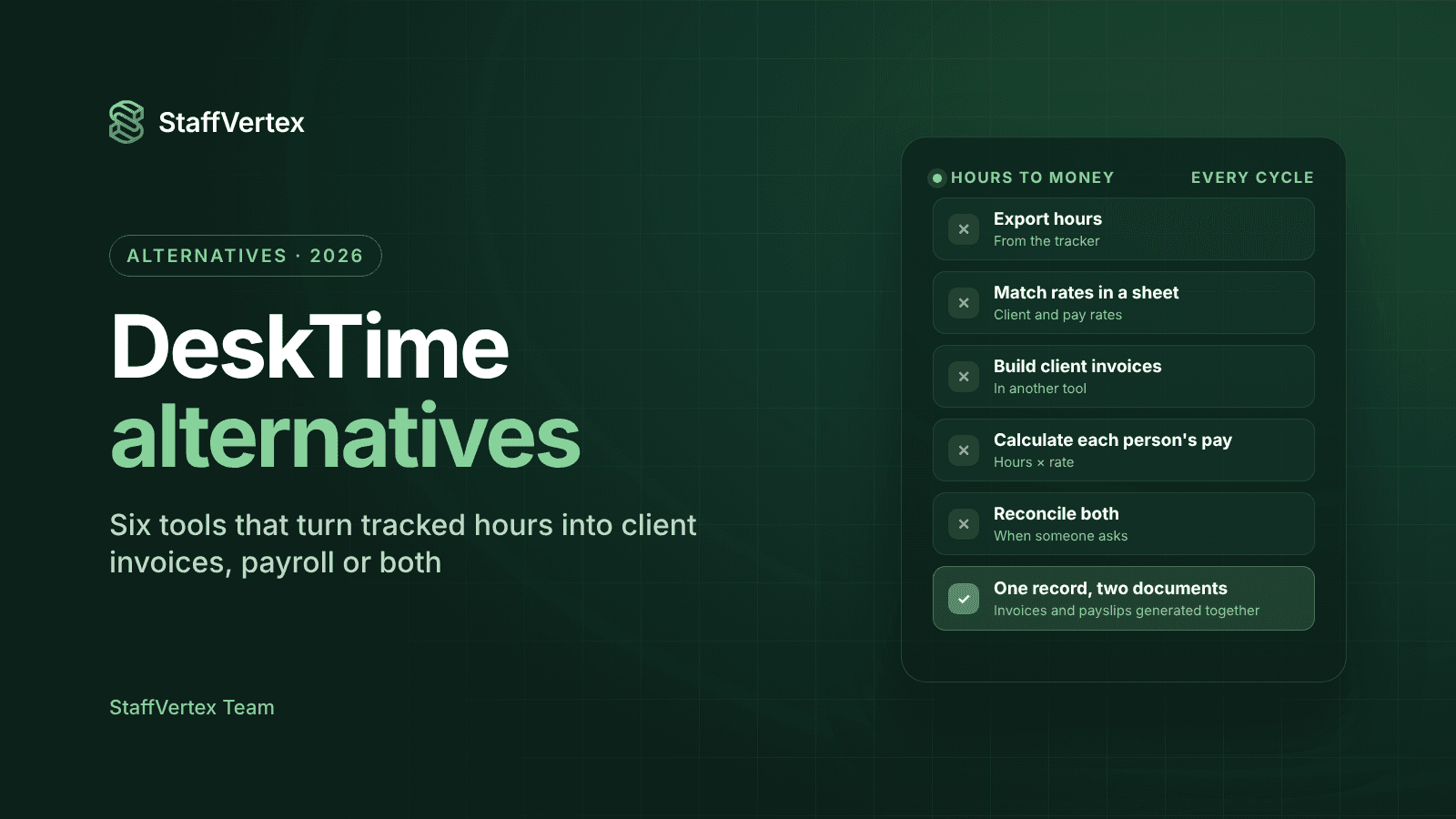
For teams that bill clients or pay people by the hour, that leaves a manual step every cycle:
Export hours from DeskTime.
Match hours to clients, projects and billing rates in a spreadsheet.
Build invoices in an accounting or invoicing tool.
Calculate each person's pay from their hours and rate.
Reconcile the two when a client queries a bill or a team member queries their pay.
Every handoff is a chance for errors, and invoices and payroll can drift apart because they are built separately. The alternatives below remove some or all of those steps.
1. StaffVertex: invoices and payslips from the same hours
StaffVertex is a time tracking and project management platform that treats billing and pay as part of tracking, not a separate job. Its finance module on the Business plan turns tracked hours into two documents automatically.
Project invoices. Each hourly project has a bill rate. At the end of the pay cycle, StaffVertex totals the hours worked on the project by everyone assigned and produces an invoice showing total hours and amount. The detailed per-person breakdown stays in the project report, so clients see a clean invoice.
Member payslips. Each member has an hourly pay rate on their profile, or inherits the project's pay rate if none is set. At the end of the cycle, StaffVertex generates a payslip with the hours worked, the amount, a paid or unpaid status, and the member's bank details for them to verify.
Pay cycles you choose. Set the organization's cycle to weekly (on a chosen weekday), bi-weekly, monthly (on the last day of the month) or annually, and override it for individual members who are paid differently.
Tracking that DeskTime users will recognize
Desktop time tracking on Windows and macOS, with activity monitoring on Pro and Business.
Optional screenshots with blur, off by default.
Idle detection that asks the user whether to keep or discard time.
Offline tracking that syncs when the connection returns.
Boards, cards and task dependencies for project work.
Pricing: Pro is $4 and Business is $9 per seat per month on monthly billing, with a further 17% off on annual billing and a 14-day free trial (StaffVertex pricing).
One difference to note: DeskTime tracks automatically. StaffVertex is timer-based, so people start the timer on a task. That makes every hour attributable to a project, which is what invoicing needs.
Best for: agencies, software houses, consultancies and staffing firms that bill clients hourly and pay staff or contractors by the hour.
2. Hubstaff: client invoicing from Starter, payroll on Team
Hubstaff lists client invoicing from Starter, where client task management is capped at five clients. Team ($10 per seat on annual billing, $12 monthly) adds team invoicing, payments, payroll automation, attendance and time-off management and timesheet approvals. Payroll connects to providers such as Wise, PayPal, Gusto and Deel. Screenshots and app tracking are capped on Starter and Grow (Hubstaff pricing guide).
Best for: teams that want the software to send contractor payments directly and need GPS or mobile apps.
3. Time Doctor: payroll reports from Standard
Time Doctor includes payroll on Standard ($14 per user monthly) and above, with a native HRIS integration available as a paid add-on. Its plans do not list client invoicing, so billing usually runs through another tool.
Best for: outsourcing teams that need strong monitoring and payroll exports, and invoice clients elsewhere.
4. Clockify: invoicing from Standard, labor cost on Pro
Clockify creates invoices from billable hours and expenses on Standard ($5.49 per seat annual, $6.99 monthly), and can send time to QuickBooks. Pro ($7.99 annual) adds labor-cost and profit reports and activity monitoring. It does not produce payslips.
Best for: budget-conscious teams that mainly need client invoicing.
5. Harvest: invoicing specialists without monitoring
Harvest is built around invoicing and payments, with Stripe, QuickBooks and Xero integrations. Teams costs $9 per seat per month on annual billing, and Harvest charges extra as invoices, projects and clients grow. It has no screenshots, activity monitoring or payroll.
Best for: agencies whose main pain is getting invoices out, not visibility.
6. Toggl Track: billing reports and labor costs
Toggl Track adds billable rates on Starter ($9 annual) and labor-cost and profitability reports on Premium ($16 annual). Its pricing page does not list invoicing, and it has no payroll or employee monitoring.
Best for: trust-first teams focused on billing accuracy and margins.
DeskTime alternatives: billing and payroll compared
Only StaffVertex and Hubstaff produce both client invoices and pay records from tracked hours. StaffVertex does it on a lower-priced plan: $9 a month versus $12 a month (or $10 on annual billing) for Hubstaff Team.
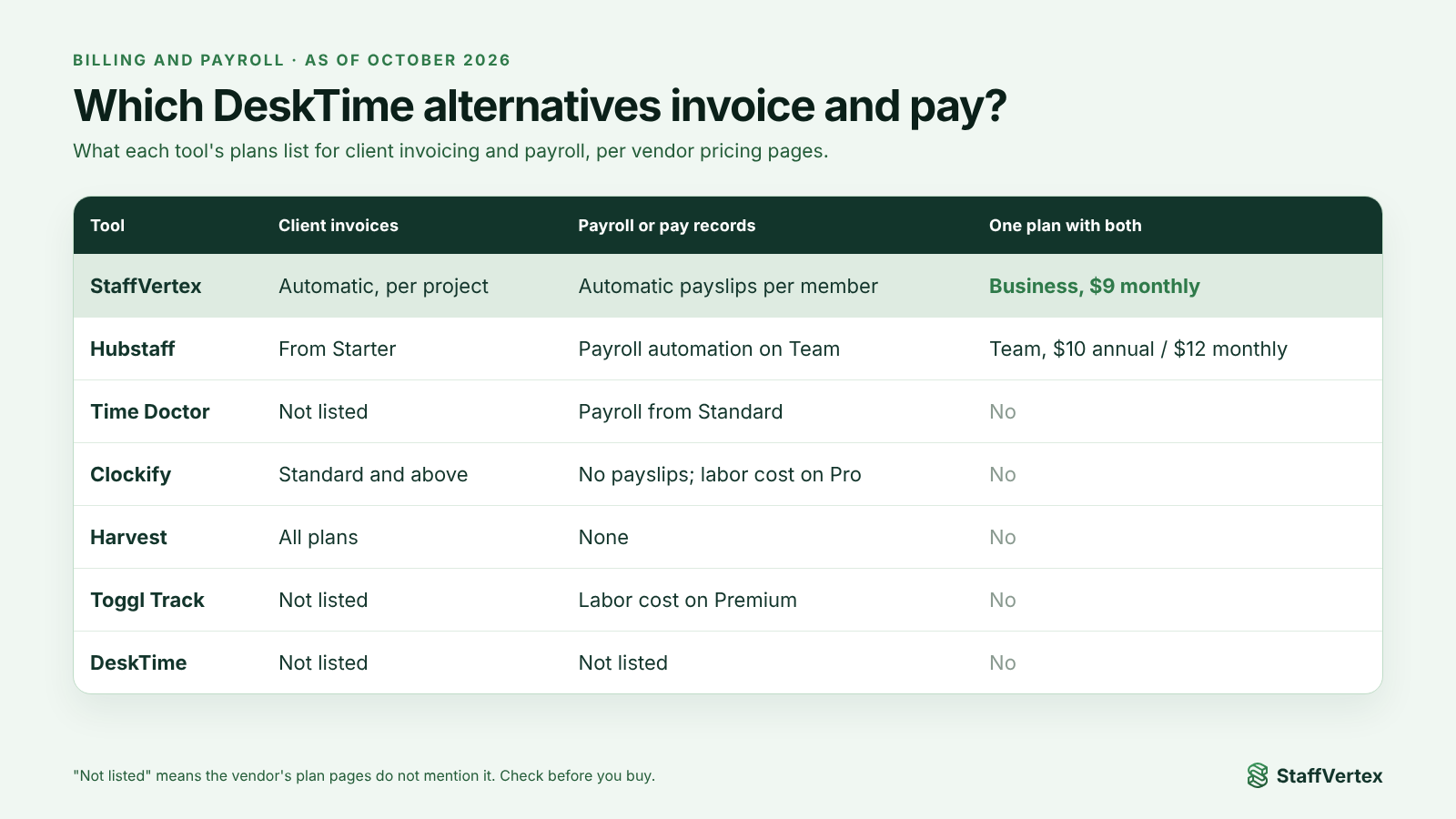
Tool | Client invoices | Pay records or payroll | Monitoring | Lowest plan with invoices and pay | Price for that plan |
|---|---|---|---|---|---|
StaffVertex | Automatic, per project | Automatic payslips per member | Activity and optional screenshots | Business | $9 monthly |
Hubstaff | From Starter | Payroll and payouts on Team | Capped below Team | Team | $10 annual, $12 monthly |
Time Doctor | Not listed | Payroll from Standard | Screenshots; video on Premium | Not available in one tool | Standard $14 monthly for payroll |
Clockify | Standard and above | Labor cost reports, no payslips | Pro plan | Not available in one tool | Pro $7.99 annual for invoices and labor cost |
Harvest | All plans | None | None | Not available | Teams $9 annual for invoices |
Toggl Track | Not listed | Labor cost on Premium, no payslips | None | Not available | Premium $16 annual |
DeskTime (for reference) | None | None | Screenshots on Premium | Not available | Not applicable |
The workflow to look for
Whichever tool you choose, the goal is one record of hours that drives both what clients pay you and what you pay your team. A good setup works like this:
Every hour is attached to a project and task. Timer-based tracking against tasks makes each hour billable to the right client.
Rates live in the tool, not a spreadsheet. Projects carry a bill rate; people carry a pay rate, with sensible fallbacks when one is missing.
Idle and manual time are resolved before the cycle closes. Employees confirm idle time and add notes to manual entries, so disputes are settled early.
Timesheets are approved. A manager signs off the period, which locks the hours both documents will use.
Invoices and pay records are generated together. At the end of the cycle, the tool produces the client invoice and the member payslip from the same approved hours.
Reports explain the detail. When a client or employee asks a question, a project or person report shows exactly where the hours went.
In StaffVertex, steps 2 to 5 happen inside Business: rates sit on projects and member profiles, the pay cycle is set once in organization settings, and invoices and payslips are generated automatically when each cycle ends.
Try StaffVertex free
Stop rebuilding invoices and payroll from exports. Start a free 14-day StaffVertex trial, set your rates and pay cycle, and let the hours do the rest.
Sources
As of October 2026; prices and features may change.